Free Security Checks: 6 Things to Test on Your Own Domain Today
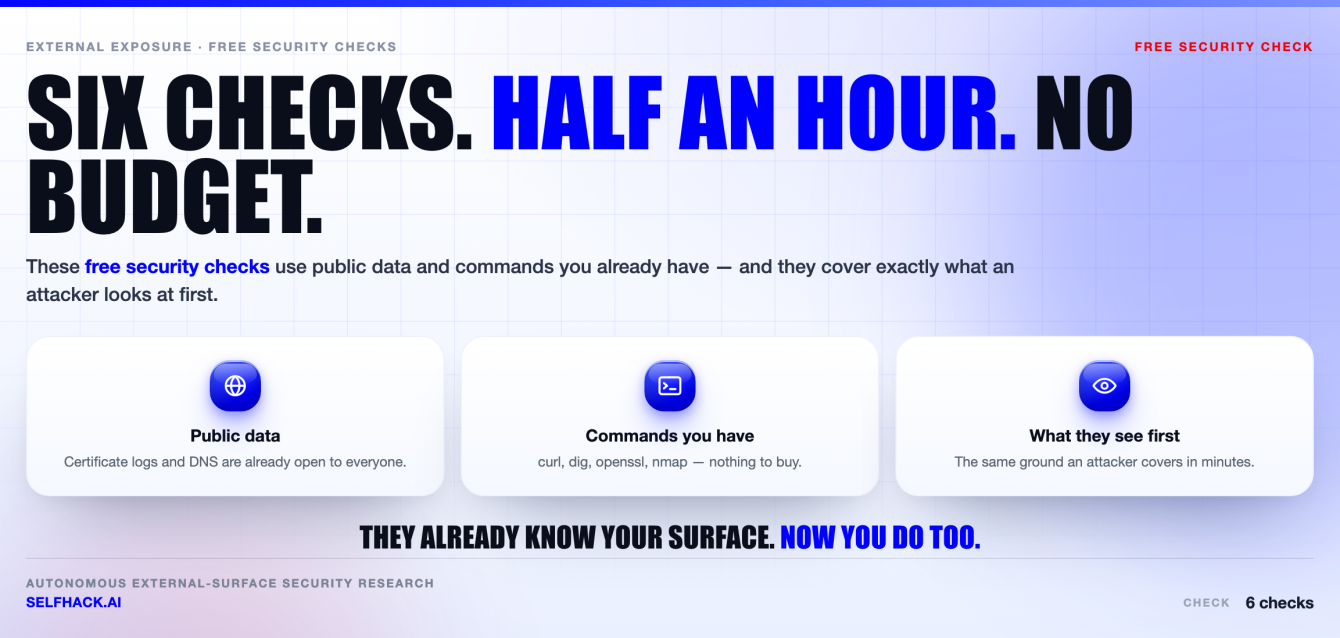
- These six free security checks use public data and commands you already have. No product, no signup, no budget approval.
- They cover what an attacker looks at first: your subdomains, your headers, your email authentication, your open ports, your dangling DNS, and your TLS.
- Each one links to a full walkthrough. Run them in the order below and you will close the gaps that get found the fastest.
- Then the honest part: what these checks cannot tell you, and where a real test has to take over.
Run these only against domains you own or are authorised to test. Everything here is either passive (public data) or run against your own systems.
Why these free security checks matter
Most security advice starts with a purchase order. This page does not. These six free security checks need nothing but a terminal and half an hour, and they cover the exact ground an attacker covers in their first few minutes with your domain.
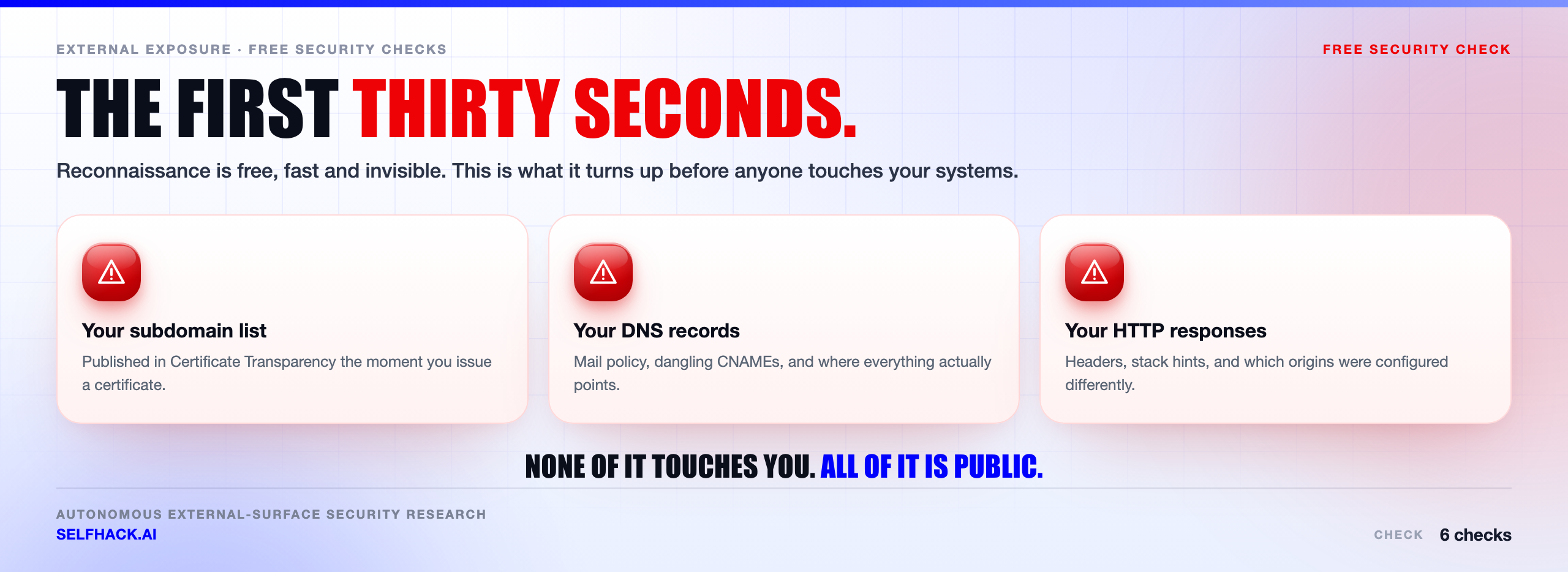
That overlap is the point. An attacker doing reconnaissance is not running an expensive scanner. They are reading public data — certificate logs, DNS records, HTTP responses — because it is fast, free, and completely invisible to you. Every one of these checks looks at the same data they do.
Here’s the thing about that asymmetry: they already know what your external surface looks like. Running these free security checks simply means you know it too.
None of this replaces a real test. We will be direct about that further down, because a page that pretends six commands equal a penetration test is not worth your time. But the gaps these checks find are real, they are common, and they are the ones that get exploited first precisely because nobody looked.
One rule before you start, and it matters legally: only run these against domains you own or have written authorisation to test. The passive checks touch nothing. The active ones — port scanning in particular — must stay inside your own estate.
The six free security checks, in order
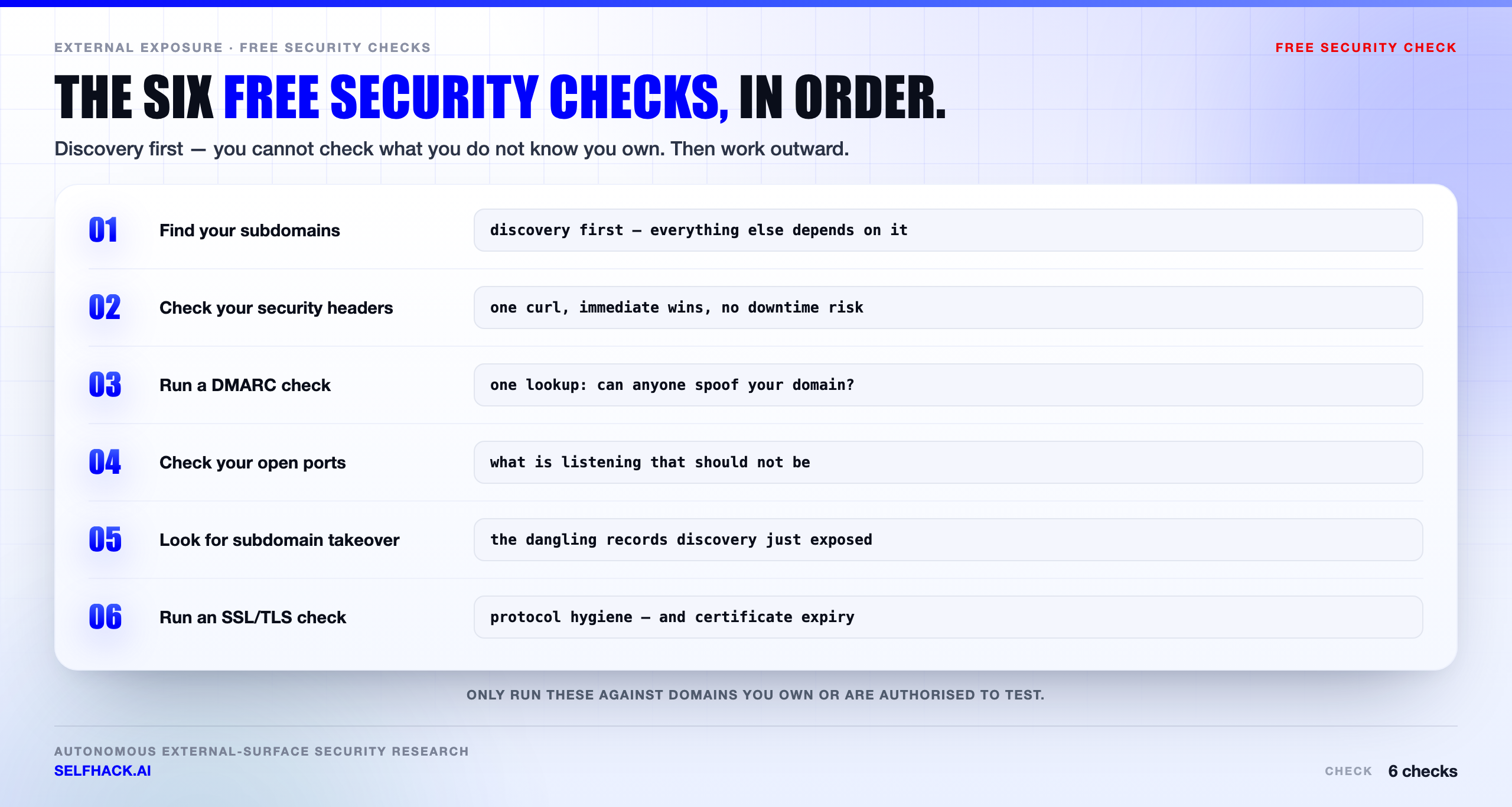
Order matters. Start with discovery, because you cannot check what you do not know you own. Then work outward from the things that are cheapest to fix.
- 1. Find your subdomains — discovery first. Everything else depends on knowing the real list.
- 2. Check your security headers — one command, immediate wins, no downtime risk.
- 3. Run a DMARC check — one DNS lookup tells you if anyone can spoof your domain.
- 4. Check your open ports — what is listening that should not be.
- 5. Look for subdomain takeover — the dangling records your discovery step just exposed.
- 6. Run an SSL/TLS check — protocol hygiene and, more often, certificate expiry.
Each has a full walkthrough with real commands. Work through them once and you will have a clearer picture of your external exposure than most teams have after a quarterly report.
Budget roughly half an hour for the full set the first time. Discovery takes the longest because it is the one that surprises you; the rest are a few commands each once you know what you are looking at. A second pass, later, takes minutes — which is the argument for making these free security checks a habit rather than a project.
Who should run these free security checks
Short answer: whoever will actually do it. That is usually not who you would expect.
If you are a founder or a small team with no dedicated security person, this list is for you. It is the highest-value half hour available to you, and none of it needs specialist knowledge — just a willingness to read output carefully.
If you have a security team, this is still worth doing, for a different reason. Teams tend to know the estate they built. These free security checks show you the estate you actually have, which is usually larger, because other people ship things too.
And if you are the person who inherited someone else’s infrastructure, start here before anything else. Discovery on an unfamiliar estate is not optional — it is the only way to find out what you just became responsible for.
One practical note on running them as a team: write down what you find, including the things that turned out fine. The value of a baseline is that next time you can see what changed.
The mindset that makes these checks work
The commands are the easy part. The habit is what matters.
Most organisations do a version of this exactly once — usually after an incident, a customer questionnaire, or an auditor asking. The list gets made, a few things get fixed, and then the estate keeps moving while the list sits still.
The teams that get real value treat these free security checks as a recurring reflex rather than a project with an end date. Discovery monthly. Dangling-record checks after every decommission. Certificate monitoring always on, because that is the one that pages you at the worst possible moment.
It also helps to assume you will find something. People who expect a clean result read the output looking for confirmation. People who expect a surprise read it properly — and there is almost always a surprise, especially in the subdomain list.
Finally, resist the urge to fix everything at once. Work the priority order below, close the doors that are actually open, and let the hardening follow at a pace that will not break production.
1. Find your subdomains
Start here. Every certificate you have ever issued is published in Certificate Transparency logs, which means your subdomain list is already public. Attackers pull it in seconds.
What turns up is rarely the main site. It is the staging box from a migration, the old admin panel on a host nobody decommissioned, the preview environment a team spun up and forgot. Same code, weaker config, no monitoring.
You cannot patch a host you forgot you owned. That is why discovery comes before every other check on this list.
→ Full walkthrough: how to find subdomains of a domain — Certificate Transparency, passive enumeration, and how to tell which ones are actually live.
2. Check your security headers
This is the fastest win on the page. One curl -sI and you can see every security header your site sends — or does not.
The headers that matter are few: a Content-Security-Policy that actually constrains scripts, HSTS so there is no downgrade path, frame-ancestors to stop clickjacking, and nosniff. Adding them costs nothing and breaks nothing if you roll out carefully.
The common mistake is not missing headers. It is a CSP full of unsafe-inline, which looks like a policy and enforces almost nothing.
→ Full walkthrough: security headers check — what each header does, how to read a CSP properly, and a safe rollout order.
3. Run a DMARC check
One DNS lookup answers a serious question: can anyone on the internet send email that appears to come from your domain?
Most domains publish something. Far fewer enforce anything. A DMARC record set to p=none is a monitoring position, not a defence — it tells receiving servers to deliver the spoofed mail anyway.
The impact lands on people who trust you: your staff, your customers, your suppliers approving invoices.
→ Full walkthrough: DMARC check — reading SPF, DKIM and DMARC properly, and the safe path from none to reject.
4. Check your open ports
Every open port is a service listening to strangers. Most exposures here are not exotic — they are defaults nobody changed and access that was opened temporarily.
A database bound to 0.0.0.0 by a container default. A dev server stood up for a demo two years ago. A management interface opened for remote support during an incident and never closed.
This is the one check where the legal line matters most: scan only your own estate, or systems you have written permission to test.
→ Full walkthrough: how to check open ports — what is listening, how to scan safely, and how to decide whether a port should be open at all.
5. Look for subdomain takeover
Now go back to the subdomain list from step one and look at the CNAMEs.
When a service is decommissioned but the DNS record pointing at it stays, that name can sometimes be claimed by someone else on the same provider. The result is attacker content served from a hostname your users, your staff and your allowlists already trust.
It happens most often right after a cleanup — the service is shut down, the DNS record is not.
→ Full walkthrough: subdomain takeover — how dangling DNS happens, why it hurts more than it looks, and how to check your own zones.
6. Run an SSL/TLS check
Finish with transport. Confirm modern protocol versions, sane cipher suites, a valid chain, and hostname coverage that matches reality.
In practice the incident that actually happens is not a broken cipher. It is a certificate nobody was monitoring, expiring on a Saturday.
A clean TLS grade proves the tunnel is sound. It says nothing about the application at the other end — which is exactly the limit we get to next.
→ Full walkthrough: SSL TLS check — what to verify, how to read the handshake, and why expiry causes more outages than cryptanalysis.
What these free security checks cannot tell you
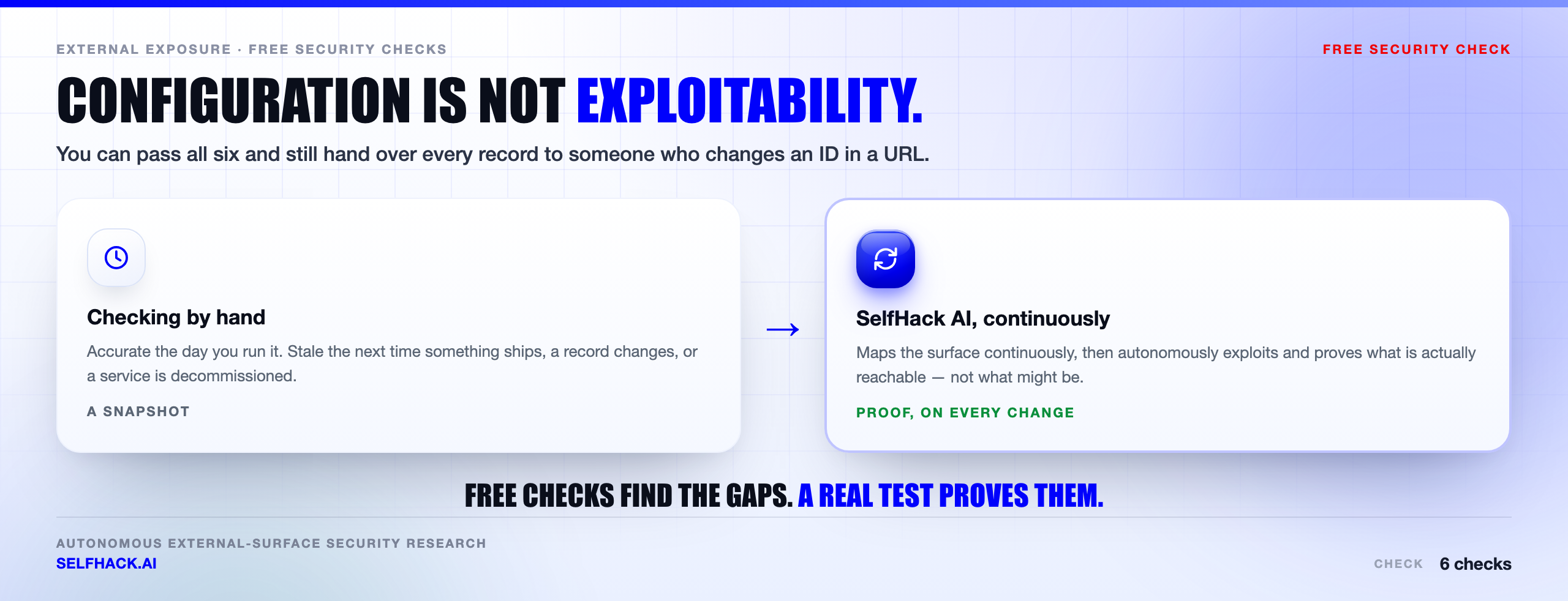
Here is the honest limit, and it is a big one. Every check on this page tells you about configuration. None of them tells you whether your application can actually be broken into.
Perfect headers, enforced DMARC, a flawless TLS grade and a tidy port list are all compatible with an application that hands over every customer record to anyone who changes an ID in a URL. Configuration hygiene and exploitability are different questions.
These free security checks also produce possibilities, not proof. An open port is a fact; whether the service behind it is exploitable is a separate investigation. A dangling CNAME is a risk indicator; whether it can actually be claimed needs verification.
And they are a snapshot. You will run them once, get a clean result, and be slightly wrong about it within a week — because a team shipped, a record changed, or a SaaS tool got onboarded. That is not a failure of the checks. It is the nature of a surface that moves.
For methodology that goes past configuration, the public references are good: the OWASP Web Security Testing Guide for how real testing is structured, and NIST SP 800-115 for the assessment framework underneath it.
How to prioritise what these free security checks find
You will finish the six and have a list. Not everything on it deserves the same urgency, and treating it as one undifferentiated pile is how good findings get ignored.
Fix anything that is exploitable by a stranger, today. An exposed database, an open management interface, a dangling CNAME on a provider where anyone can claim the name. These need no skill and no access. They go first.
Then fix anything that damages people who trust you. An unenforced DMARC policy sits here. It does not compromise your systems, but it lets an attacker use your good name against your staff and your customers.
Then the forgotten hosts. The staging box, the old admin panel, the preview environment. Decommission what you do not need — deleting a host is a better fix than patching it — and bring the rest into whatever monitoring the production estate has.
Then the hardening. Headers, cipher suites, protocol versions. These matter, but they reduce blast radius rather than close a door that is currently open. Do them properly and without rushing.
One thing not to do: treat a long list from these free security checks as a reason to buy something before you have fixed the free wins. The cheapest security you will ever get is deleting the thing you did not need.
What a clean result actually means
Say you run all six free security checks and everything looks right. Good. Now be precise about what you have proven.
You have proven that your external configuration matches what you intended, on the day you looked. That is genuinely worth something — it means the obvious doors are shut and the automated background noise of the internet will mostly bounce off.
You have not proven that your application is safe. Configuration checks look at the outside of the building. They say nothing about whether the locks on the internal doors work, or whether one user can open another user’s room.
You have also not proven anything about tomorrow. This is the limit people underestimate most. Your surface changes constantly — and it changes fastest in exactly the moments when everyone is busy: a launch, a migration, an incident, a decommission.
So a clean result is a floor, not a certificate. Treat it as the baseline you defend, and re-establish it often enough that drift never gets comfortable.
From free security checks to continuous testing
So run all six. They are genuinely worth the half hour, and they will find something.
Then be clear-eyed about what comes next. The gap between “my configuration looks right” and “an attacker cannot get in” is where breaches live, and no amount of free security checks closes it. Closing it needs something that attacks the estate the way an adversary does, and keeps doing it as things change.
That is what we build. SelfHack AI maps your external surface continuously — the subdomains, the exposed services, the records — and then autonomously tests what it finds, exploiting and proving what is actually reachable instead of listing what might be. It re-runs on every change, so the answer does not go stale the week after you looked.
If you want to see the difference between a configuration snapshot and an exploit-validated result on your own systems, talk to our team.
For the wider picture of what an autonomous test covers, see our work on external attack surface testing and the AI pentest tools comparison.
A last word on tooling. Everything here runs with software you already have or can install in a minute — a DNS client, curl, a port scanner, a browser. There is no trial to start and no card to enter. That is deliberate: the point of free security checks is that nothing should stand between you and the answer.
What you cannot get for free is continuity. A one-off run tells you about one moment in time. The estate does not hold still for you, and neither does whoever is looking at it from the outside.
So treat the list as a floor, not a ceiling. Run it today, because it costs you nothing but attention. Then decide honestly how much of it you will still be running in six months, and automate the part you already know you will quietly drop.
That is the whole argument for continuous testing, and it has nothing to do with buying software. It has to do with the difference between knowing something once and knowing it now.
FAQ
Are these free security checks safe to run?
The passive ones are — Certificate Transparency searches, DNS lookups and reading HTTP headers touch nothing and send nothing unusual to your systems. The active ones, port scanning in particular, must only be run against systems you own or have written authorisation to test. Unauthorised scanning can be unlawful in many jurisdictions, so keep it inside your own estate.
How often should I run these free security checks?
More often than feels necessary. Subdomains and DNS records change every time a team ships or onboards a tool, so a monthly pass is a sensible floor for discovery and dangling-record checks. Headers, DMARC and TLS change less, but certificate expiry needs continuous monitoring rather than a periodic look.
Do I need any paid tools for these checks?
No. Everything on this list runs with curl, dig, openssl, nmap and free open-source enumeration tools, plus public Certificate Transparency data. That is the whole point of calling them free security checks — the barrier is attention, not budget.
Is running these the same as a penetration test?
No, and it is worth being precise. These checks assess configuration and exposure. A penetration test attempts to exploit what it finds and proves impact. You can pass every check here and still have an application that falls over to a simple authorisation bug. Treat these as the free floor, not the ceiling.
Which check should I do first if I only have ten minutes?
Find your subdomains. It is the one that reliably surprises people, it feeds three of the other checks, and it is entirely passive. If you have a second ten minutes, run the DMARC check — one lookup, and the fix protects everyone who trusts your domain.
The verdict
Six free security checks. Half an hour. No budget line.
They will not make you secure, and anyone telling you otherwise is selling something. What they will do is show you your external surface the way an attacker already sees it, and close the gaps that get found first — the forgotten host, the unenforced DMARC record, the port nobody meant to leave open.
Do that much and you are ahead of most organisations, who have never looked at all. That is not a compliment to you so much as an indictment of how low the bar sits — but it is still the bar, and clearing it costs you nothing but attention.
Start with discovery. Finish with TLS. Write down what you found. Then put a date in the calendar to do it again, because the only version of these free security checks that keeps working is the one you repeat. Then, when you want to know not what might be wrong but what is actually exploitable, let’s test it properly.
Methodology & scope: every check here is passive (public data) or intended to be run against your own systems. Only test domains you own or are authorised to test. Testing frameworks referenced: OWASP Web Security Testing Guide and NIST SP 800-115.