How to Find Subdomains of a Domain (and Why Attackers Do It First)
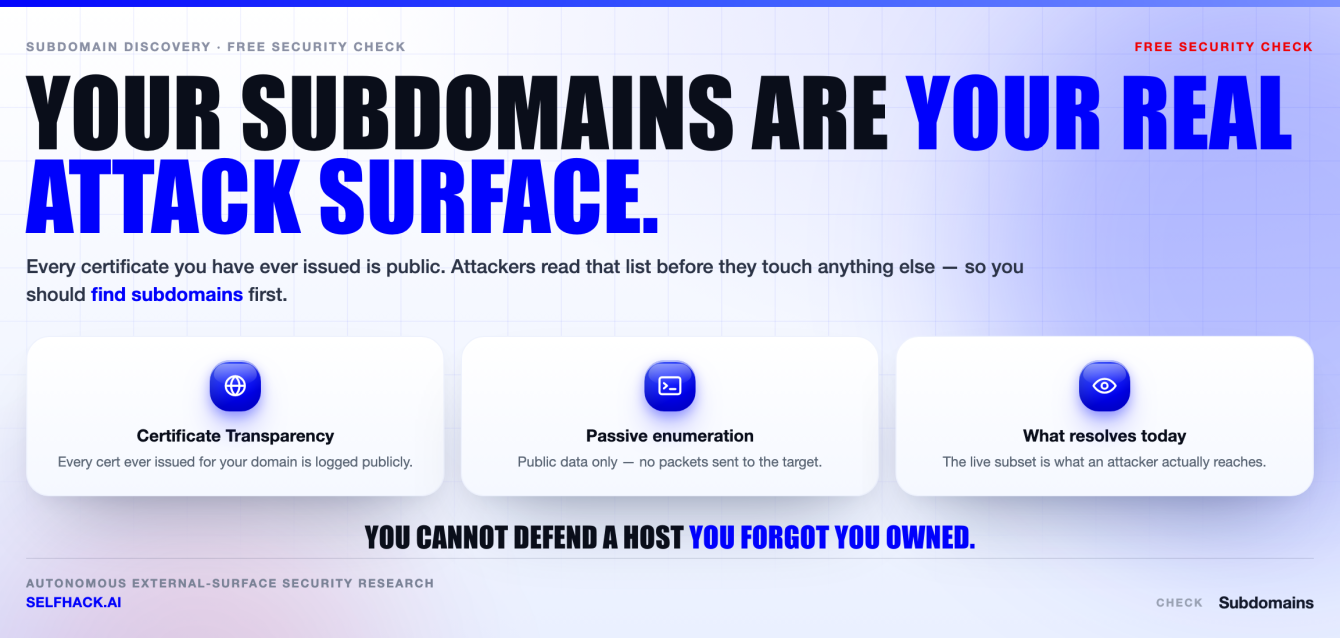
- Attackers find subdomains before they try a single exploit. It is the cheapest step in the whole operation, and it usually returns the one host nobody remembered owning.
- Most of the work is passive. You can find subdomains through Certificate Transparency logs, DNS records, passive DNS aggregators and web archives without ever touching the target’s infrastructure.
- Active enumeration — brute force, permutations, virtual-host fuzzing — finds what the passive sources missed. It also sends traffic. Only run it against domains you own or are explicitly authorized to test.
- The list is not the deliverable. The inventory is. A set of names you checked once is a snapshot; a set you re-check every week is a control.
- Your subdomains change faster than your notes do. That gap is the whole reason this ends up automated.
Everything below stays on the passive-OSINT and own-your-domain side of the line. Enumerate what you own or what you have written permission to test — nothing else.
Why attackers find subdomains before they touch anything else
Ask any attacker what the first hour of a job looks like and the answer is boring. They do not open Burp. They do not fire an exploit. They go and find subdomains.
The reason is simple economics. Your main domain is the part of your estate that gets attention — a WAF in front of it, a security review before every release, someone whose job title mentions it. Everything else is where the budget ran out.
So the attacker’s opening move is to enumerate names. Not to break anything yet, just to see how big the target really is. It costs almost nothing and it changes the entire shape of the engagement.
There is a second reason to find subdomains early: it is the one recon step that never gets you caught. Passive sources answer instead of the target, so nothing lands in anyone’s logs.
Here’s the thing about this step: it is not really hacking. Almost all of it is reading public records. Certificates are logged publicly by design. DNS is a public directory by design. Old URLs sit in archives because archives are the point.
None of that requires a single packet aimed at your servers. Which means you cannot detect it, you cannot block it, and you cannot tell whether it has already happened. The only useful response is to run the same search yourself and fix what it returns.
That is the honest framing for this guide. When you find subdomains on your own estate, you are not doing something clever. You are catching up to work that has already been done about you.
The forgotten-box problem: what actually lives out there
The interesting thing is not the count you get back. It is what the names tell you. A hostname is a label a human chose, and humans label things honestly when they think nobody is looking. That is why you find subdomains first and read them second.
Run a passive sweep on almost any medium-sized organization and the same categories come back. This is the pattern we see constantly, not a claim about any specific company:
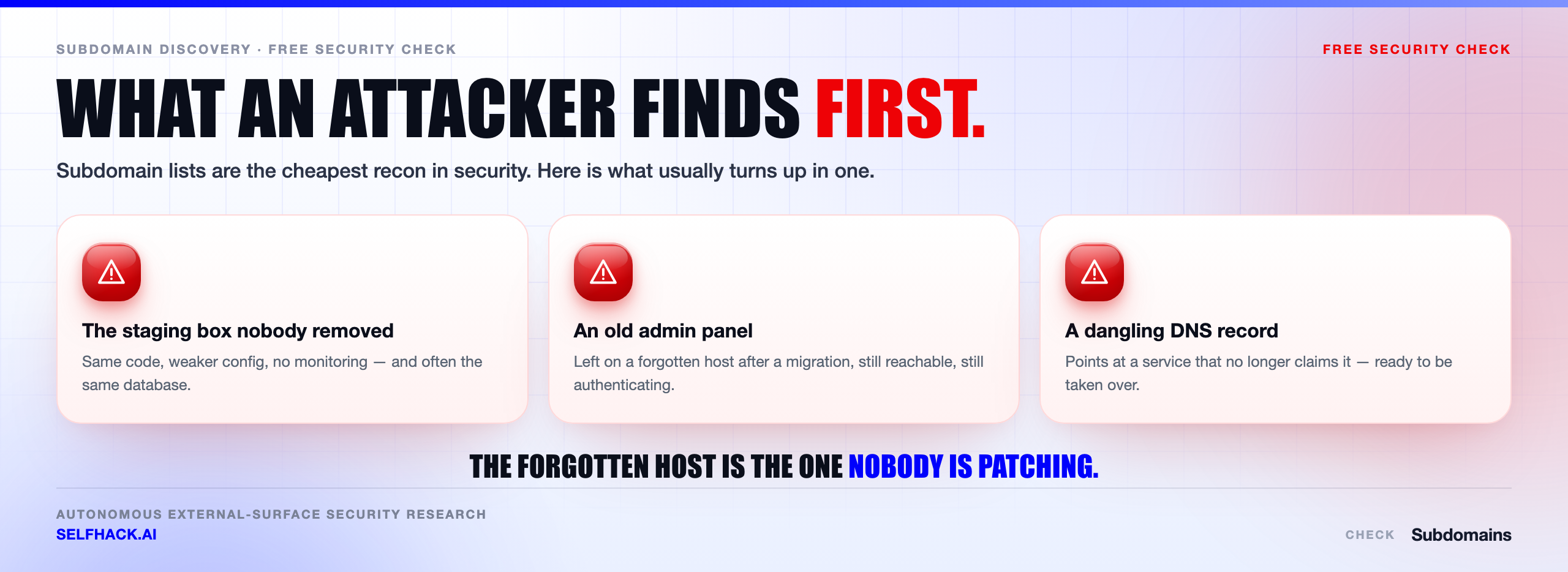
- Environments that were supposed to be temporary — staging, uat, dev, test, demo, preprod. Same code as production. None of the hardening, and often a copy of real data.
- Admin and internal tooling — admin, portal, panel, jenkins, grafana, jira, vpn. Things that were only ever meant to be reached from the office.
- Campaign and vendor leftovers — the microsite from a 2019 product launch, the survey tool a marketing agency stood up, the status page someone configured on a Friday.
- Old infrastructure that never got decommissioned — legacy, old, backup, mail2, plus whatever the previous hosting provider was called.
- Third-party services pointed at your brand — a CNAME to a SaaS product that may or may not still be paid for.
Read that list again as an attacker would. Every entry is a place where the security model is weaker than the one you designed, attached to a name your users trust.
In our experience, the host that gets popped is almost never the one on the homepage. It is the box three people knew about, two of whom have left. That is why you find subdomains first — the map is the finding.
Passive vs active: two honest ways to find subdomains
There are exactly two families of technique you can use to find subdomains, and the difference between them is legal as much as technical. Get this distinction right before you run anything.
Passive enumeration reads data that already exists somewhere else. Certificate Transparency logs, DNS aggregators, search engine indexes, web archives, public code repositories, threat-intel feeds. You query a third party, not the target. No traffic reaches the organization you are researching.
Active enumeration generates new data. You guess names and resolve them, you fuzz virtual hosts against an IP, you probe for services. That traffic lands on infrastructure — either the target’s own resolvers or the hosts themselves — and it shows up in logs.
Passive is quiet, fast and incomplete. Active is loud, slow and finds the names nobody ever put on a certificate. Real coverage needs both, which is why serious attempts to find subdomains run the passive pass first and use it to seed the active one.
The rule to internalize: passive research on a third party is generally just OSINT, but the moment you start resolving guesses or fuzzing hosts you are interacting with systems you do not own. Do that only against your own domains or with written authorization in a signed scope. This is the same boundary the OWASP Web Security Testing Guide draws around its own information-gathering phase, and NIST SP 800-115 makes the same point about rules of engagement.
Everything in this guide is scoped that way. Use it on what you own.
Certificate Transparency: the fastest way to find subdomains
If you only ever learn one method, learn this one. Certificate Transparency is a public, append-only log system that publicly trusted certificate authorities write to when they issue a certificate. Browsers expect certificates to be logged. That is the whole design.
The security benefit is real — it makes mis-issued certificates visible. The side effect is that anyone can find subdomains from it, because every hostname a certificate was requested for is now a permanent public record. Including the internal-sounding one your ops team issued a cert for at 2am.
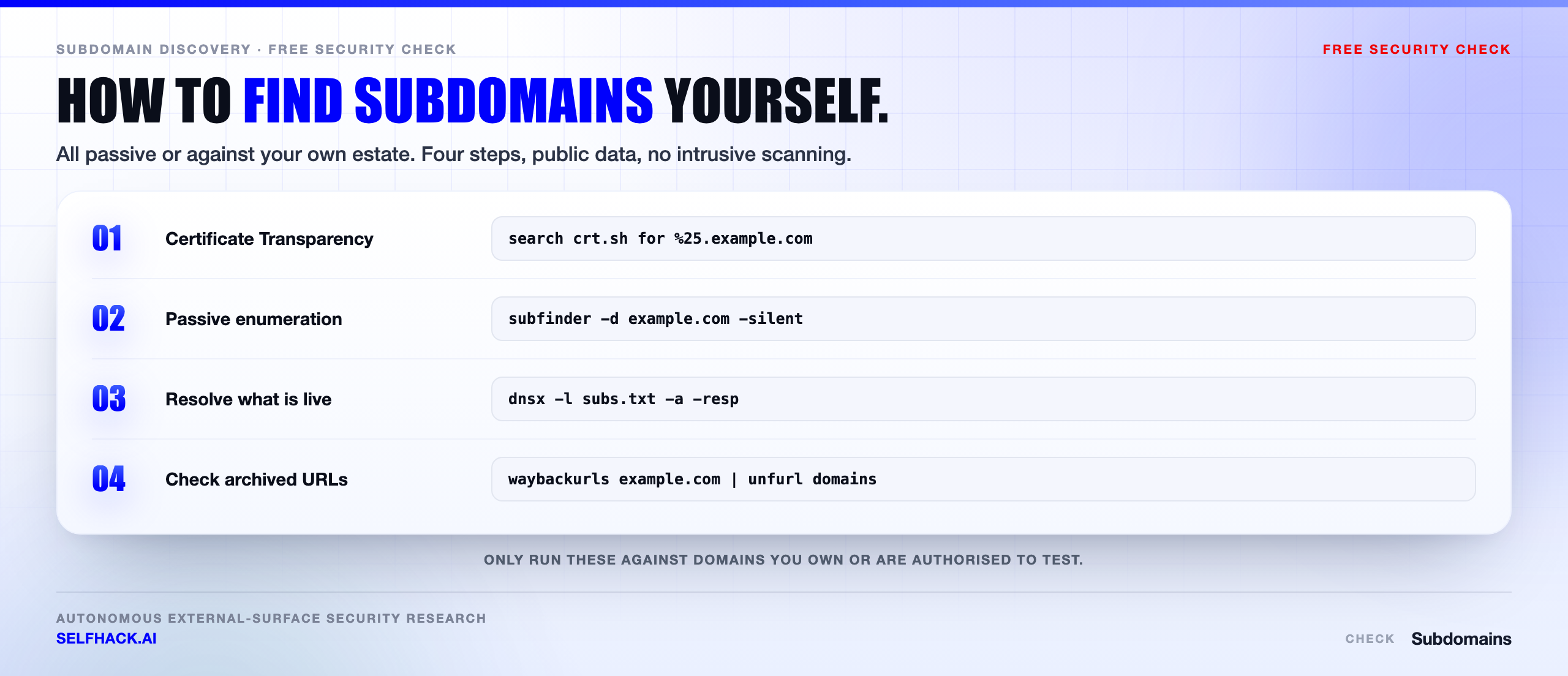
The easiest front door is crt.sh. Search %.example.com in the web interface, or pull it as JSON and clean it up:
curl -s "https://crt.sh/?q=%25.example.com&output=json" \
  | jq -r '.[].name_value' \
  | sed 's/^\*\.//' \
  | tr 'A-Z' 'a-z' \
  | sort -u > ct-names.txt
Three things to know before you trust the output.
First, wildcard certificates hide detail. A cert for *.example.com tells you a wildcard exists and tells you nothing about which hosts are behind it. Organizations that use wildcards everywhere are much harder to enumerate this way — that is a legitimate defensive trade-off, not an accident.
Second, the log is historical. Names from expired certificates stay in it. Many of the hosts you get back will no longer resolve, and that is fine — you resolve the list in the next step and keep what answers.
Third, it only covers publicly trusted certificates. Internal CAs, self-signed hosts and anything behind a wildcard stay invisible. So Certificate Transparency is the fastest way to find subdomains, never the complete one.
DNS records, passive DNS and the archive trail
DNS itself gives up more than people expect, and you do not need anything more exotic than dig to find subdomains this way. Start with the records that describe your own infrastructure:
dig +short NS   example.com     # who runs the zone
dig +short MX   example.com     # mail platform
dig +short TXT  example.com     # SPF, verification tokens, vendor fingerprints
dig +short CAA  example.com     # which CAs may issue for you
TXT records are the quiet goldmine. SPF entries enumerate the services allowed to send mail as you — CRM, ticketing, marketing automation, whatever else — and domain-verification tokens name every SaaS vendor someone ever onboarded. That is a vendor list you published yourself.
Then there is zone transfer. A misconfigured authoritative nameserver will hand over the entire zone to anyone who asks:
dig AXFR @ns1.example.com example.com
It is rare now, and it is a finding in itself when it works. Run it against your own nameservers as a check — if it succeeds, that is the first thing to fix today.
Passive DNS is the other pillar. Services such as SecurityTrails, VirusTotal, Shodan, Censys and DNSDumpster keep historical resolution data collected from sensors and scans. They will show you names that stopped resolving years ago and the IPs they used to point at. Old A records are how you find the hosting account nobody closed. Passive DNS will also find subdomains that never appeared in a certificate log at all.
Finally, the archive trail. Web crawlers and archives recorded links to hosts that are long gone from your sitemap:
echo example.com | waybackurls | unfurl --unique domains | sort -u
echo example.com | gau --subs | unfurl --unique domains | sort -u
waybackurls and gau pull historical URLs from public archives and index feeds; unfurl reduces them to hostnames. This method also surfaces old paths and parameters, which matters later.
How to find subdomains with subfinder, amass and dnsx
You can do all of the above by hand once, and you should, because it teaches you where the data comes from. Then you automate it. The standard open-source chain used to find subdomains at scale has four stages: collect, resolve, probe, triage.
Stage one — collect passively. subfinder queries dozens of passive sources in parallel. amass, an OWASP project, does the same with a heavier focus on relationships between assets. Run both; their source lists differ.
subfinder -d example.com -all -silent -o subs-subfinder.txt
amass enum -passive -d example.com -o subs-amass.txt

cat subs-*.txt ct-names.txt | tr 'A-Z' 'a-z' | sort -u > all-names.txt
Add API keys for the passive sources you have access to. Un-keyed subfinder returns a fraction of what a keyed run does — this is the single biggest quality difference between a shallow sweep and a serious attempt to find subdomains.
Stage two — resolve. A name in a certificate log is a rumor until DNS confirms it. dnsx resolves the merged list fast and tells you what each name actually points at.
dnsx -l all-names.txt -silent -a -resp -o resolved.txt
dnsx -l all-names.txt -silent -cname -resp -o cnames.txt
Stage three — probe. httpx tells you which resolved hosts serve HTTP, what they return, and what they are built on.
httpx -l resolved.txt -sc -title -tech-detect -ip -o live.txt
Stage four — triage. Sort by what looks unloved. Non-standard ports, dated technology banners, titles containing staging or test, login pages you do not recognize, anything on a hosting provider you no longer use.
Note the shift at stage two. Collection is passive; resolution and probing send traffic. Cross that line only on assets you own or are authorized to test.
Active enumeration: brute force, permutations, virtual hosts
Passive sources only know about names someone published. Plenty of hosts were never issued a public certificate and never linked from anywhere. To find subdomains like those, you have to guess.
Dictionary brute force resolves a wordlist against the domain. puredns and shuffledns wrap a fast resolver and, importantly, filter out wildcard noise.
puredns bruteforce wordlist.txt example.com -r resolvers.txt -w brute.txt
Wildcard DNS is the trap here. If *.example.com resolves, every guess “succeeds” and you end up with a file full of fiction. Test it first: resolve a name no sane person would register, and if it answers, you need wildcard filtering before you trust a single result.
Permutation generation takes the names you already confirmed and mutates them. If api.example.com exists, then api-dev, api2, api-staging and dev-api are all worth resolving. Tools like gotator, dnsgen and altdns generate these lists. This is often the highest-yield active technique, because naming conventions inside one organization are remarkably consistent.
Virtual host fuzzing covers the case where a host has no DNS record at all but the web server still answers for it by Host header:
ffuf -w vhosts.txt -u https://203.0.113.10 -H "Host: FUZZ.example.com" -fs 4242
That one finds internal apps that were never meant to be routable from outside. It is also unmistakably active traffic against a specific IP, so scope discipline is not optional.
Last note on method: recurse. Once you find subdomains at the second level, run the whole chain again on the interesting ones. Deeply nested names like admin.internal.example.com hide from a single-pass sweep.
What an attacker does after they find subdomains
A list of hostnames is not an attack. What turns it into one is the triage that follows. It is worth understanding what happens after someone manages to find subdomains on your estate, because it tells you which of your own results to fix first.
They look for the environment that is not production. Staging usually runs the same application with debug enabled, weaker credentials, a stale dependency tree and no WAF. Often it holds a copy of production data, which means a “low severity” host is actually a data breach waiting for a single bug.
They look for the panel that should never have been public. Admin interfaces, CI dashboards, database tools, monitoring stacks. These were built assuming a network boundary that quietly stopped existing. Default credentials on an internal tool are a completely different risk once the tool is on the internet.
They look for software nobody patches. The 2019 microsite runs a CMS four major versions behind. Nobody owns it, so nobody updates it, so a public exploit works on it years after everyone else has moved on.
They look for records pointing at nothing. Which is the next section, because it deserves its own.
They look for reused trust. A session cookie scoped to .example.com is sent to every host under it. An XSS on a forgotten marketing subdomain can become an account-takeover chain on the main application. This is why “it’s just a static microsite” is rarely just a static microsite.
The point of learning to find subdomains is not the list. It is arriving at these five questions before someone else does. That triage step is exactly what an external attack surface assessment is built around.
Dangling records and subdomain takeover
One category deserves special attention, because it is common, high impact, and entirely self-inflicted. It is also the single best reason to find subdomains on a schedule rather than once.
A dangling DNS record is a CNAME or A record that still points at infrastructure you no longer control. Someone spun up a cloud bucket, a hosting account or a SaaS instance, pointed a subdomain at it, and later deleted the resource without removing the DNS entry. The name still resolves. The destination is now unclaimed.
If an attacker can register that destination on the same provider, they now serve content on your hostname, with your name in the browser bar and — depending on cookie scope — access to sessions your users hold for your brand. That is a subdomain takeover, and it is one of the most reliable findings in this entire discipline.
Finding them is mechanical. Pull every CNAME, check whether the target still exists, and flag the ones that point to a provider returning a “no such bucket” or “domain not configured” style response.
dnsx -l all-names.txt -cname -resp -silent | grep -Ei 's3|azurewebsites|github\.io|herokuapp|cloudfront|fastly|netlify|pantheon'
Then check each candidate by hand before claiming anything. Fingerprints go stale and providers change their behavior — an automated “vulnerable” label is a hypothesis, not a finding.
The fix is not clever. Delete the DNS record when you delete the resource. The reason it keeps happening is that those two actions live in different systems, owned by different teams, on different days.
Build the inventory: what to do once you find subdomains
Here is where most people stop, and it is the wrong place to stop. You ran the tools, you have a text file, you fixed two things. Six weeks later the file is wrong. Learning to find subdomains is easy; keeping the answer current is the actual work.
Turn the output into an inventory with four fields per host. Nothing heavier than a spreadsheet is required to start.
- Name and resolution — the hostname, what it resolves to, and the CNAME chain if there is one.
- Owner — a named human or team. If you cannot name one, that is your first finding, before any vulnerability.
- Purpose and status — production, staging, vendor-hosted, or decommission candidate.
- Last verified — the date you last confirmed all of the above.
Then diff it. Every run, compare against the previous one and look only at what changed: new names, names that stopped resolving, CNAMEs whose target moved. The delta is where the risk lives, and it is a much smaller thing to read than the full list.
How often? Match your rate of change, not a compliance calendar. A rough guide that holds up in practice:
- Weekly — if you ship frequently, run ephemeral preview environments, or use more than a handful of SaaS vendors.
- Monthly — a stable estate with a slow release cycle and centralized DNS.
- Immediately — after an acquisition, a cloud migration, a brand launch, or an agency relationship ending. These are the events that create orphans.
And do the unglamorous governance work alongside it: centralize DNS so there is one place to look, require a named owner before a record is created, and make record deletion part of decommissioning rather than a follow-up ticket that ages out.
Honestly, that last paragraph prevents more incidents than any tool in this guide. Tools help you find subdomains. Process is what stops you from growing new orphans faster than you retire them.
Where doing this by hand stops working
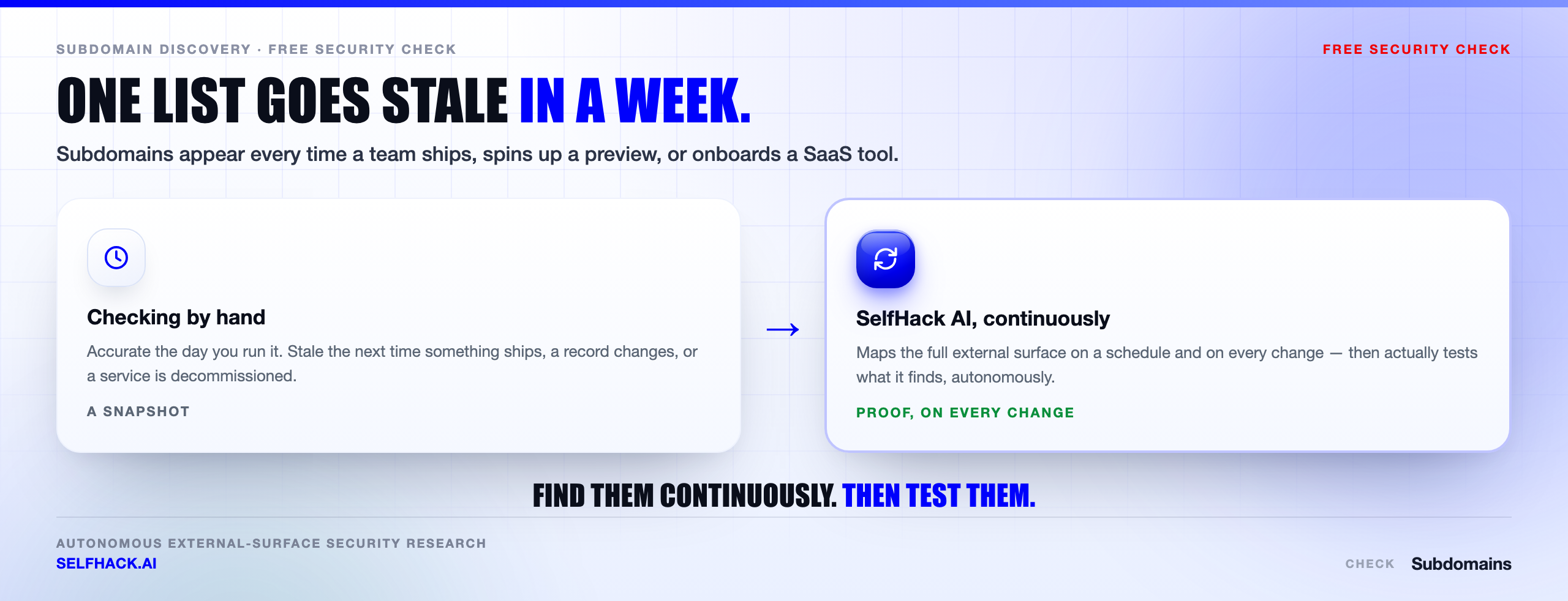
Run the chain above once and you will learn a lot about your own organization. It is genuinely worth doing manually the first time. But be clear-eyed about what you have built: a snapshot of a moving target, produced by a process that depends on someone remembering to repeat it.
The surface does not hold still. Engineering ships a preview environment per pull request. Marketing points a name at a new vendor. A team migrates a service and leaves the old record in place because deleting DNS feels risky. Every one of those is a new host that nobody re-tested.
There is a second gap that matters more. When you find subdomains, you learn that a host exists. You do not learn whether its login page accepts weak credentials, whether the API behind it leaks other tenants’ records, or whether that dangling CNAME is genuinely claimable. Between the list and the answer sits the actual testing — and that is the part that does not scale by hand.
That gap is what SelfHack AI is built for. It maps the external surface continuously rather than on the day someone runs a script, and then it tests what it finds: autonomously reasoning about each discovered host, generating hypotheses about how it could be abused, verifying them, and chaining confirmed findings into a real impact story instead of a list of hostnames.
The same engine feeds our free security checks if you want a starting point, and runs as a continuous external attack surface pentest when you want the full picture. If you would rather see what an autonomous assessment surfaces on your actual domains than maintain a spreadsheet, talk to our team.
What to run once you have the subdomain list
A list of hosts is a starting point, not a finding. The next questions are what each one is running and whether any of them point somewhere you no longer control.
Start with subdomain takeover, because a dangling record is the one issue on this list that hands an outsider your domain name outright. Then work through what those hosts expose: check open ports on the ones you own, run an SSL/TLS check on anything serving HTTPS, and finish with a security headers check on the web-facing ones.
Each of those takes minutes once you know how to find subdomains, and together they turn an inventory into an actual picture of exposure. The full sequence is laid out in our free security checks guide.
FAQ
Is it legal to find subdomains of a domain I do not own?
Passive research — reading Certificate Transparency logs, public DNS records, search results and archives — queries third-party sources rather than the target, and is generally treated as open-source intelligence. Active enumeration is different: resolving guessed names, fuzzing virtual hosts and probing services sends traffic to systems you do not control. Do that only on domains you own or against a written, signed scope. When in doubt, stay passive.
What is the fastest way to find subdomains for free?
Search %.yourdomain.com on crt.sh, then run subfinder -d yourdomain.com -all and resolve the merged list with dnsx. That combination takes a few minutes, costs nothing, and typically returns most of what a passive sweep can reach. Adding free-tier API keys to subfinder meaningfully improves the results.
Why do the tools return subdomains that do not resolve?
Because passive sources are historical. Certificate Transparency keeps names from expired certificates forever, and passive DNS records resolutions that stopped being valid years ago. Those dead names still matter — they point at hosting accounts, providers and naming patterns worth checking. Resolve the full list and keep the ones that answer, but read the ones that do not.
How often should I re-run subdomain discovery?
Weekly if you deploy often, use per-branch preview environments, or work with many SaaS vendors. Monthly is defensible for a stable estate with centralized DNS. Always re-run right after an acquisition, a cloud migration, a brand launch or the end of an agency contract, because those events are what create records nobody owns.
What is the difference between subdomain enumeration and attack surface management?
Enumeration answers one question: what names exist? Attack surface management is the ongoing practice of knowing what exists, who owns it, what it exposes, and whether it is currently exploitable. Enumeration is the first step of the second thing. A list without owners, without re-checks and without testing is trivia, not security.
The verdict: the map is the attack
The uncomfortable truth is that the hard part of this was never technical. The commands you need to find subdomains fit on one screen. Anyone can run them this afternoon.
What is hard is that the answer expires. You find subdomains, you fix what you find, and then engineering ships, marketing signs a vendor, an acquisition closes, and the map you drew is describing a place that no longer exists. Attackers are not smarter than your team here. They are simply looking more often.
So do the manual run this week. Pull the certificate logs, resolve the names, build the four-column inventory, delete the dangling records. That single exercise will surface things you did not know you owned.
Then decide how you are going to do it every week after that — because the one-time sweep is the part everyone completes, and the repeat is the part that actually protects anything. If you want that repeat handled, along with the testing that follows it, let’s map your surface together.
Sources & methodology: techniques described here follow the information-gathering phase of the OWASP Web Security Testing Guide and the scoping and rules-of-engagement guidance in NIST SP 800-115. Certificate Transparency data via crt.sh; amass is an OWASP project. Tool behavior reflects current open-source releases and changes between versions — verify flags against your installed build. No client data, target names or engagement results appear in this article. Only enumerate domains you own or are authorized to test.