SSL TLS Check: What Weak Encryption Actually Exposes
- An SSL TLS check answers three questions: which protocol versions and cipher suites your server accepts, whether the certificate is valid and correctly chained for the hostname requested, and whether the controls around it — HSTS, mixed content, revocation — are in place.
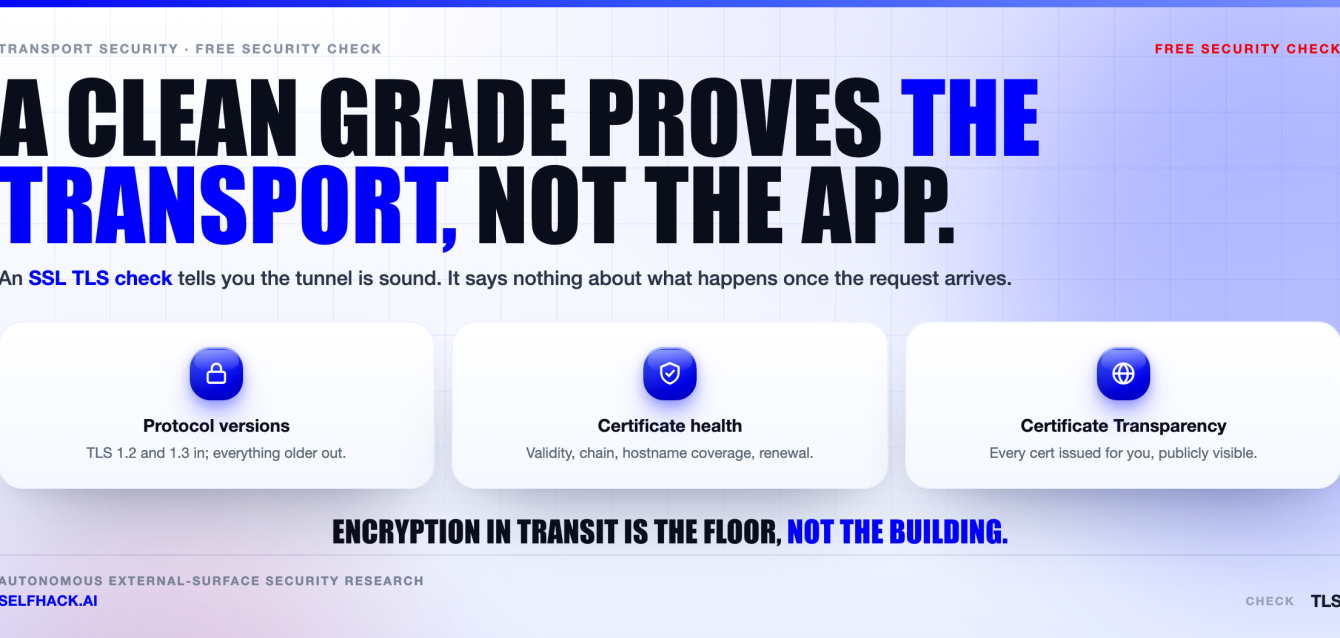
- What it does not answer is whether the application behind the encryption is safe. TLS protects data in transit. It stops protecting anything the moment the request lands.
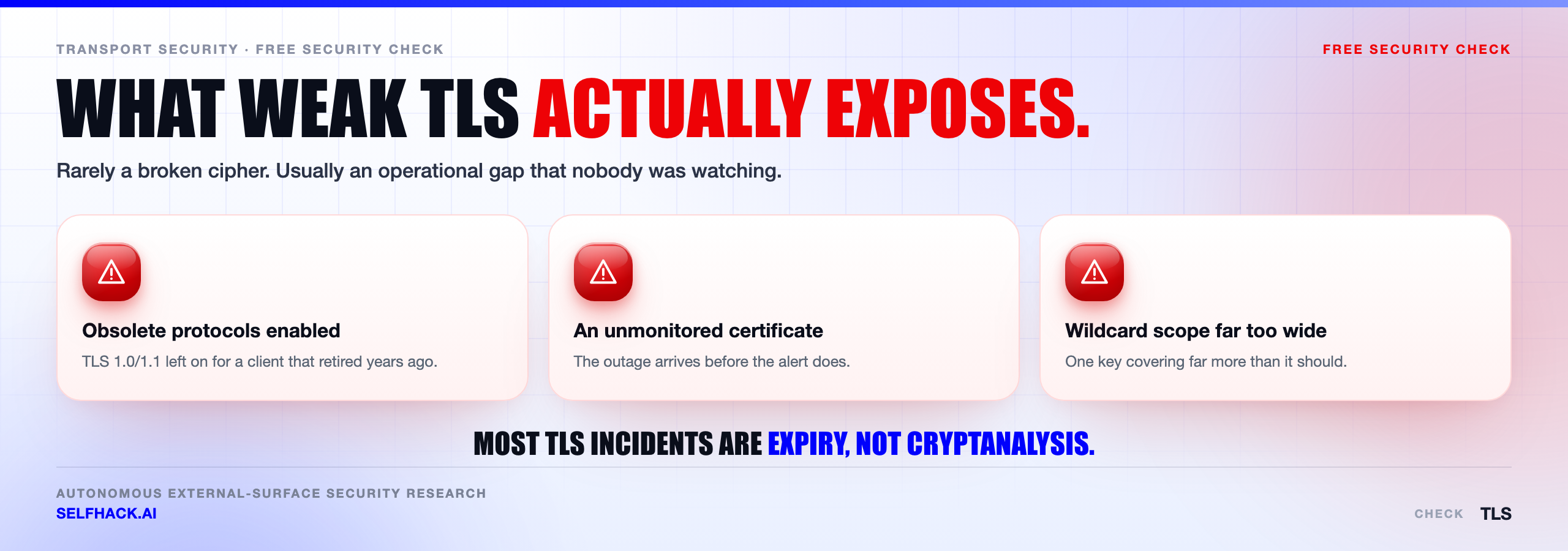
- Keep TLS 1.2 and TLS 1.3. Turn off TLS 1.0, TLS 1.1 and everything still called SSL — deprecated by RFC 8996 and gone from the major browsers years ago.
- The failure that takes services offline is almost never a weak cipher. It is a certificate nobody renewed, which is why an SSL TLS check has to include expiry monitoring, not just a cipher grade.
- Certificate Transparency logs show every publicly trusted certificate ever issued for your domain — including the ones a team issued without telling anybody.
- Test only hosts you own or have written permission to test.
This is a configuration guide, not a vulnerability disclosure. Every command below is safe against your own infrastructure, and every standard referenced is public.
What an SSL TLS check actually proves
Let’s be exact about the promise, because most confusion around this topic comes from over-reading the padlock.
A passing SSL TLS check proves three properties about the connection, and only about the connection.
- Confidentiality in transit. Someone on the network path — a coffee shop router, a compromised ISP hop, a hostile access point — cannot read the request or the response.
- Integrity in transit. That same observer cannot silently modify the bytes. Injected ad scripts, swapped download binaries and tampered API responses are off the table.
- Server identity. The certificate binds a public key to a hostname, and a certificate authority your client already trusts vouches for that binding. You are talking to the host you asked for.
Add optional client identity through mutual TLS, and that is the entire security model. Three properties. Nothing more.
Here’s the thing about that list: it is genuinely valuable and genuinely narrow. Every property concerns the wire. None of them says a word about what happens to the request after it arrives.
So an SSL TLS check is worth running monthly and worth exactly zero as a security guarantee. It is hygiene for one layer. Reading it as proof of application security is the most common mistake in the whole discipline, and it is why plenty of teams believe an A grade means the site is safe.
Where the protection stops: everything past the handshake
The truth is that TLS was never designed to protect your application. It protects the pipe.
Once the handshake completes and the request is decrypted, TLS has finished its job. Every class of finding that actually gets organizations breached lives on the other side of that line.
A broken access-control check that returns another customer’s invoice does not care that the response travelled over TLS 1.3. Neither does an injection flaw, a server-side request forgery reaching your metadata service, an authentication bypass, or logic that lets someone refund themselves twice. The encryption protects all of it, faithfully, from everyone except the person exploiting it.
There are quieter limits too.
- Metadata still leaks. The destination IP is visible, and usually so is the hostname in the handshake’s Server Name Indication field.
- Data at rest is out of scope. TLS says nothing about how data is stored once it lands, or who can read the database.
- Domain validation is a low bar. A certificate proves control of a domain name, not that the operator is legitimate. Phishing sites have valid certificates.
- A compromised endpoint ends the argument. If either side is owned, encryption protects the attacker’s traffic as reliably as yours.
None of this makes TLS less important. It makes the boundary important. Knowing exactly where the protection stops is what turns an SSL TLS check from a badge into a control you can reason about.
Protocol versions: the first line of any SSL TLS check
Version support is the fastest signal you will get, and the first thing to read on any SSL TLS check report.
Keep TLS 1.3. Standardised as RFC 8446 in 2018, it removed the weak options rather than discouraging them. Static RSA key exchange, renegotiation and the legacy cipher constructions are all gone, and the handshake is a round trip faster. Most historic footguns are not reachable on that path.
Keep TLS 1.2. Still fine — but only when configured properly, because TLS 1.2 permits both excellent and terrible cipher suites. The version number alone tells you nothing. That is why the next section exists.
Turn off TLS 1.1 and TLS 1.0. RFC 8996 formally deprecates both, and the major browsers dropped them in 2020. Anything still negotiating TLS 1.0 is either an ancient client you are tracking deliberately, or a scanner.
Turn off anything called SSL. SSL 2.0 was prohibited by RFC 6176. SSL 3.0 was deprecated by RFC 7568 after POODLE. Both have been unusable for serious work for over a decade.
A clarification, since this confuses people constantly: the protocol has been named TLS since 1999. Phrases like “SSL certificate” survive as industry vocabulary, not as a description of anything a modern server speaks. When an SSL TLS check reports genuine SSL support, it means the obsolete protocol, and that is a finding.
One caution before disabling anything. Check your client population first. An API consumed by embedded devices, payment terminals or old Java runtimes may still be pinned to TLS 1.0, and cutting it without notice turns a configuration improvement into an outage. Log negotiated versions for two weeks, then cut.
Cipher suites and forward secrecy
A cipher suite is the specific combination of key exchange, authentication, bulk encryption and integrity algorithms a session ends up using. An SSL TLS check lists every suite your server will accept. Under TLS 1.2 that list is long, and plenty of legal combinations are bad.
The property worth demanding above all others is forward secrecy.
Each session’s keys are derived from ephemeral values that are discarded when the session ends. Steal the server’s long-term private key a year later, and yesterday’s recorded traffic stays unreadable. Without forward secrecy, one stolen key retroactively decrypts every session anyone bothered to record. Capture-now-decrypt-later is an established collection strategy, which is why this stopped being optional.
In practice: ECDHE key exchange on TLS 1.2, paired with an AEAD construction like AES-GCM or ChaCha20-Poly1305. On TLS 1.3 you get it automatically — every defined suite is AEAD and the key exchange is always ephemeral. The choice was removed on purpose.
What should be switched off, and why:
- Static RSA key exchange (the TLS_RSA suites) — no forward secrecy.
- RC4 — prohibited by RFC 7465 after biases in the keystream became practically exploitable.
- 3DES — a 64-bit block cipher, vulnerable to the Sweet32 birthday attack on long-lived connections.
- Export-grade and NULL suites — deliberately weakened or absent encryption, kept alive by configuration inertia.
- Anonymous Diffie-Hellman — encryption with no authentication, so no protection against an active attacker in the middle.
- Weak Diffie-Hellman groups — 1024-bit parameters are within reach of well-funded precomputation. Use 2048 bits or elliptic curves.
- CBC-mode suites with SHA-1 MACs on old versions — the family that produced BEAST and Lucky13, and the reason AEAD replaced them.
Two related items belong in the same pass. The certificate key should be RSA 2048-bit or larger, or elliptic-curve on P-256 or better. Its signature algorithm should be SHA-256 or stronger; browsers have rejected SHA-1 signatures since 2017.
Do not hand-write a cipher string. Generate one with the Mozilla SSL Configuration Generator, which produces tested configurations at three compatibility tiers, and cite NIST SP 800-52 Rev. 2 when a compliance document needs a reference.
Certificates: expiry, chain, hostnames and wildcard scope
Protocol and ciphers get the attention. Certificates cause the incidents. The certificate half of an SSL TLS check has four parts, and each fails differently.
Validity window. Read the notBefore and notAfter dates from the certificate the server is actually serving, not from the file you think is deployed. Those disagree more often than anyone expects, usually because one node in a pool was missed during a rollout.
The chain. Your server must send the leaf plus every intermediate needed to reach a trusted root. It should not send the root — the client already has it. The classic failure is serving the leaf alone. Browsers often paper over this by fetching the missing intermediate through the authority information access extension, so the site looks fine to you while a curl script, a mobile client or a Java service fails outright.
Chain problems that break only machine clients are the most annoying to diagnose, because the human test always passes.
Hostname coverage. Modern clients read the subject alternative name extension and ignore the common name entirely. Every hostname you serve must appear in the SAN list — apex, www, every API subdomain, every regional variant.
Wildcard scope. This one is misunderstood constantly. A wildcard for *.example.com matches exactly one label. It covers api.example.com. It does not cover example.com itself, and it does not cover a.b.example.com. Plenty of “certificate mysteriously invalid” tickets resolve to that rule alone.
Wildcards carry a second cost. One private key ends up copied onto every host that serves it, so a single compromised machine puts the whole subdomain space at risk. Convenient, and worth a deliberate decision rather than a default.
Lifetimes are shrinking on a schedule. The industry maximum dropped to 398 days in 2020, and the CA/Browser Forum has approved staged reductions heading toward roughly 47 days by the end of the decade. The direction is settled: manual renewal is finished.
HSTS, mixed content and revocation
These three sit around the encryption rather than inside it, and they are where most otherwise-decent configurations lose points on an SSL TLS check.
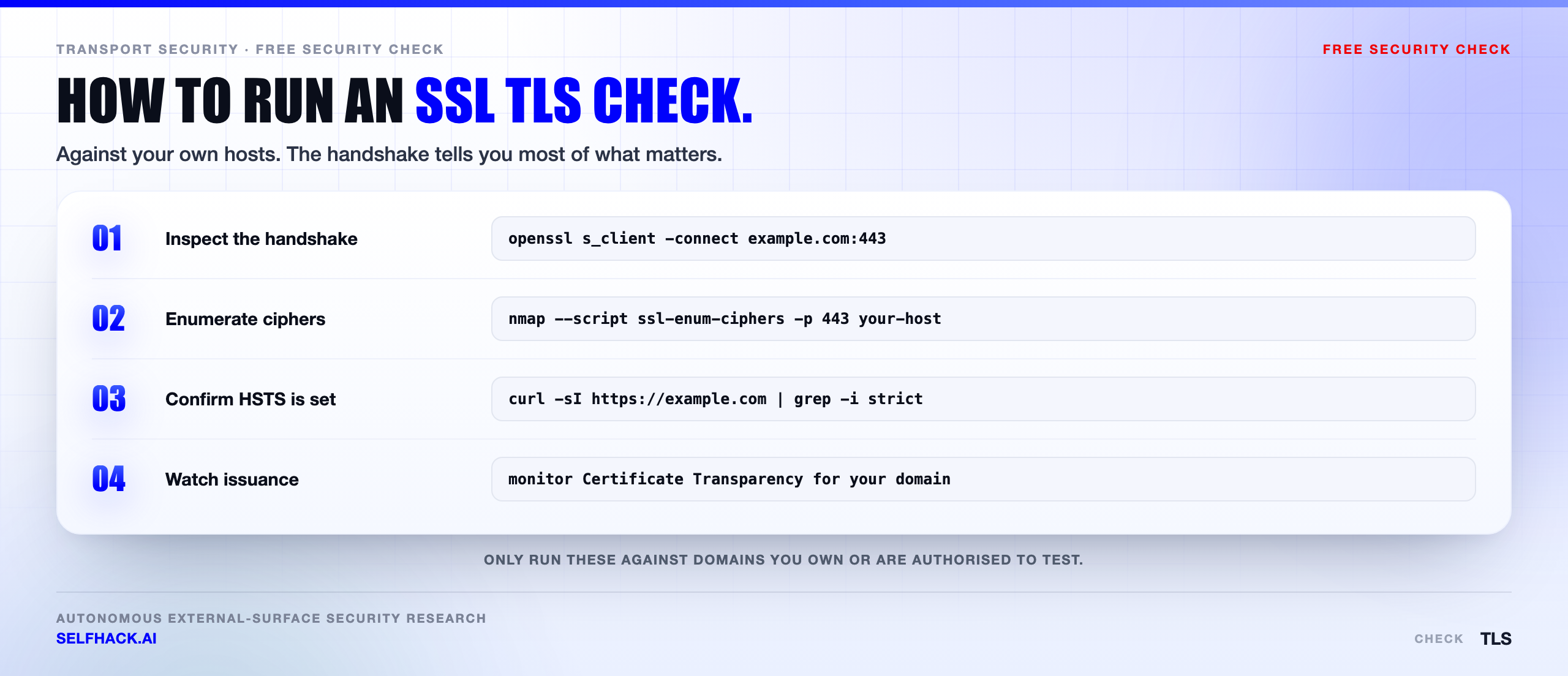
HSTS. The Strict-Transport-Security header tells a browser to use HTTPS for this host for a stated period, refusing to fall back even if a user types a plain HTTP address. A typical value is a max-age of one year with includeSubDomains.
Two caveats matter. The header is only honoured over HTTPS, so setting it on a plain HTTP response does nothing. And it cannot protect the very first visit, before the browser has ever seen it — which is what the browser preload list solves, at the price of being genuinely hard to reverse. Add includeSubDomains only when you are certain no subdomain still needs HTTP.
Mixed content. A page served over HTTPS that pulls a script, stylesheet or iframe over plain HTTP is a hole straight through the encryption, because that resource can be modified in transit and then runs with full access to the page. Browsers block active mixed content and upgrade or block passive resources like images. The symptom is usually a broken feature rather than a warning, which is why it survives so long.
Revocation. This is the weakest part of the ecosystem, and honesty helps more than optimism. Revocation lists are large and slow. Online Certificate Status Protocol queries add latency and leak browsing behaviour to the authority, and clients have historically treated an unreachable responder as “not revoked” — a soft failure that anyone able to block the query exploits trivially.
OCSP stapling improves this: your server fetches the signed status itself and attaches it to the handshake, removing the latency and the privacy leak. Verify the staple is present and current, because a stale one is a real and quiet failure. Plan for revocation to be slow, and treat key protection as the primary control.
How to run an SSL TLS check yourself
Before any command: run these against hosts you own or have written authorisation to test. Enumerating someone else’s cipher suites without permission is unauthorised scanning in most jurisdictions, regardless of intent.
With that said, three tools cover almost everything an SSL TLS check needs.
OpenSSL, for one connection in detail
The baseline command connects and prints the negotiated session plus the served chain:
The -servername flag sets Server Name Indication. On a shared address, omitting it can hand you a completely different certificate from the one real users receive, so keep it explicit.
Two refinements are worth memorising. Pipe the output through the certificate parser to read dates and hostname coverage, and add a hostname verification flag, because s_client does not fail on a name mismatch unless you ask it to:
Other flags earn their place fast. Use -showcerts to dump the full chain, -status to see whether an OCSP response is stapled, and a version flag such as -tls1_2 or -tls1_1 to ask whether a specific version is still accepted. On OpenSSL 3.x, testing the obsolete versions may need a lowered security level — a hint about how dead they are.
Nmap, for the full suite matrix
This enumerates every cipher suite the server accepts, grouped by protocol version, with a letter grade per suite and per version. It is the fastest way to see the whole matrix instead of whatever one client happened to negotiate. Point it only at your own hosts.
Public test services, for the outside view
Hosted scanners give you the browser-trust perspective — chain building against real trust stores, HSTS, mixed-content hints, a summary grade. Qualys SSL Labs is the long-standing reference. One practical note: results are posted publicly unless you tick the option to keep them off the board, so choose deliberately for internal hostnames.
To keep everything local, testssl.sh runs the same style of assessment from your own machine with no third party involved. For a quick, no-setup SSL TLS check across several transport-level items at once, our free security checks cover the common ground before you commit to tooling.
How to read the output of an SSL TLS check
Raw output from a command-line SSL TLS check is dense and mostly irrelevant. Four lines carry the meaning.
Protocol. Near the bottom of the session summary sits the negotiated version. TLSv1.3 or TLSv1.2 is what you want. Anything older is a finding, not a curiosity.
Cipher. Read the suite name left to right. On TLS 1.2 you want ECDHE for key exchange and GCM or ChaCha20-Poly1305 for the bulk cipher. A name beginning TLS_RSA means no forward secrecy. CBC or 3DES in the name means work to do. TLS 1.3 names are shorter — TLS_AES_256_GCM_SHA384 and its siblings — because key exchange left the suite.
Verify return code. Zero and “ok” means the chain built and validated against your local trust store. Code 20, unable to get local issuer certificate, and code 21, unable to verify the first certificate, usually mean the same practical thing: an intermediate is missing from what the server sent.
Certificate chain. With -showcerts, count the certificates. Leaf plus at least one intermediate is normal. Leaf alone is a chain problem waiting for a client that does no automatic fetching.
Two lines look alarming but usually are not. “No client certificate CA names sent” just means the server is not asking for mutual TLS. A verification failure against a private internal authority means your trust store lacks that root, not that the server is broken.
When a hosted SSL TLS check grades you, read the deductions rather than the letter. An A- caused by a missing HSTS header is a different job from an A- caused by TLS 1.0 still being enabled, and the grade flattens that difference into one character.
Expired certificates: the failure that causes real outages
Look, the uncomfortable part of this topic is that almost nobody gets breached through a weak cipher suite. They get paged at 3am because a certificate expired.
It is the most common operational TLS failure, entirely self-inflicted, and completely preventable. The pattern repeats with depressing consistency.
- The certificate was issued manually, outside whatever automation the main website uses.
- It lives on a load balancer, an appliance or a partner integration that nobody put in the inventory.
- The renewal job stopped working months ago, and nothing alerted because nothing watched the result.
- The new certificate reached three nodes out of four, so failures are intermittent and the first reports get dismissed.
- The owner left, and renewal notices go to a mailbox nobody reads.
Four habits fix essentially all of it.
Automate issuance and renewal. ACME clients handle this for anything that can run one. As lifetimes shrink toward weeks, manual renewal stops being viable — make automation the default and manual issuance the exception that needs justification.
Monitor from outside. Run the SSL TLS check against the live endpoint, not the file on disk. A renewed file that was never reloaded looks perfect locally and fails for every user.
Alert early and repeatedly. Thirty days, fourteen, seven, into a channel a human reads. One email to one person is not monitoring.
Inventory every TLS endpoint. Mail servers, LDAP, message brokers, gRPC services, database connections and internal dashboards all carry certificates that expire on the same schedule and get forgotten at a far higher rate.
That last point is an asset-discovery problem wearing a certificate costume. You cannot monitor the expiry of a host you forgot you owned, which is why certificate inventory and external attack surface testing keep turning out to be the same exercise from two angles.
Certificate Transparency: every certificate issued for your domain
This is the most useful thing in the certificate ecosystem that most teams have never used.
Certificate Transparency requires publicly trusted certificates to be submitted to append-only public logs. Chrome and Safari have required log inclusion for years, so authorities log essentially everything. The consequence is remarkable: there is a public, searchable record of every publicly trusted certificate ever issued for your domain.
Query it and you can see, in seconds:
- Certificates issued by an authority you do not use — the earliest signal of mis-issuance or a domain-control compromise.
- Hostnames a team stood up without telling security, because the certificate request is a confession.
- Staging, admin and internal-sounding subdomains that were never meant to be public knowledge.
- Certificates approaching expiry that never made it into monitoring.
Our team treats the log feed as an ongoing inventory source alongside the scheduled SSL TLS check, rather than a one-off lookup. New certificate, unknown hostname, investigate. Cheap, passive, and it catches shadow infrastructure no internal asset database knows about.
There is a symmetry worth remembering. The same logs are open to attackers, and subdomain enumeration through Certificate Transparency is standard early reconnaissance. Any hostname you put in a certificate is public. Name things accordingly.
A sane hardening order after your first SSL TLS check
A first SSL TLS check usually returns a longer list than anyone wants to work through at once. Order matters, because some fixes are risky and some are free.
- Measure client versions before disabling anything. Log negotiated protocol versions for two weeks. This one step prevents most self-inflicted outages.
- Disable SSL 2.0, SSL 3.0, TLS 1.0 and TLS 1.1. With data in hand, this is a decision rather than a gamble.
- Enable TLS 1.3 and restrict the TLS 1.2 suite list to ECDHE with AEAD. Generate the configuration; never hand-write the cipher string.
- Fix the chain and hostname coverage. Serve the intermediates, confirm every hostname is in the SAN list, and verify from a client that does no automatic fetching.
- Automate renewal and add external expiry monitoring. This prevents the outage you are statistically most likely to have.
- Add HSTS carefully. Short max-age first, verify nothing breaks, then extend, then consider includeSubDomains, and only then think about preload.
- Eliminate mixed content and add upgrade-insecure-requests while the source pages get fixed.
- Turn on OCSP stapling and monitor that the staple is present and fresh.
- Watch Certificate Transparency logs for certificates you did not request.
- Then test the application behind all of it, which is where the actual risk has been sitting the whole time.
Steps one through nine are a configuration exercise with a defined end state. You can finish them and stay finished, provided the monitoring stays on.
Step ten never finishes, because the application changes every sprint. That asymmetry is why transport hardening feels satisfying and application security feels endless — one has a completion condition and the other does not.
Where the encryption is expected to hold against the infrastructure itself rather than only the network, the boundary shifts again. That is the problem confidential computing testing addresses: attestation and encryption in use, where the question is not “is the pipe safe” but “who can read this while it is being processed”.
What the encryption is actually protecting
Here is where the argument becomes an honest one rather than a sales one.
A clean SSL TLS check is a real achievement and a real control. It closes off network-position attacks, keeps credentials off the wire in plaintext, and gives clients a reason to believe they are talking to you. Keep the grade. Monitor it. Renew on time.
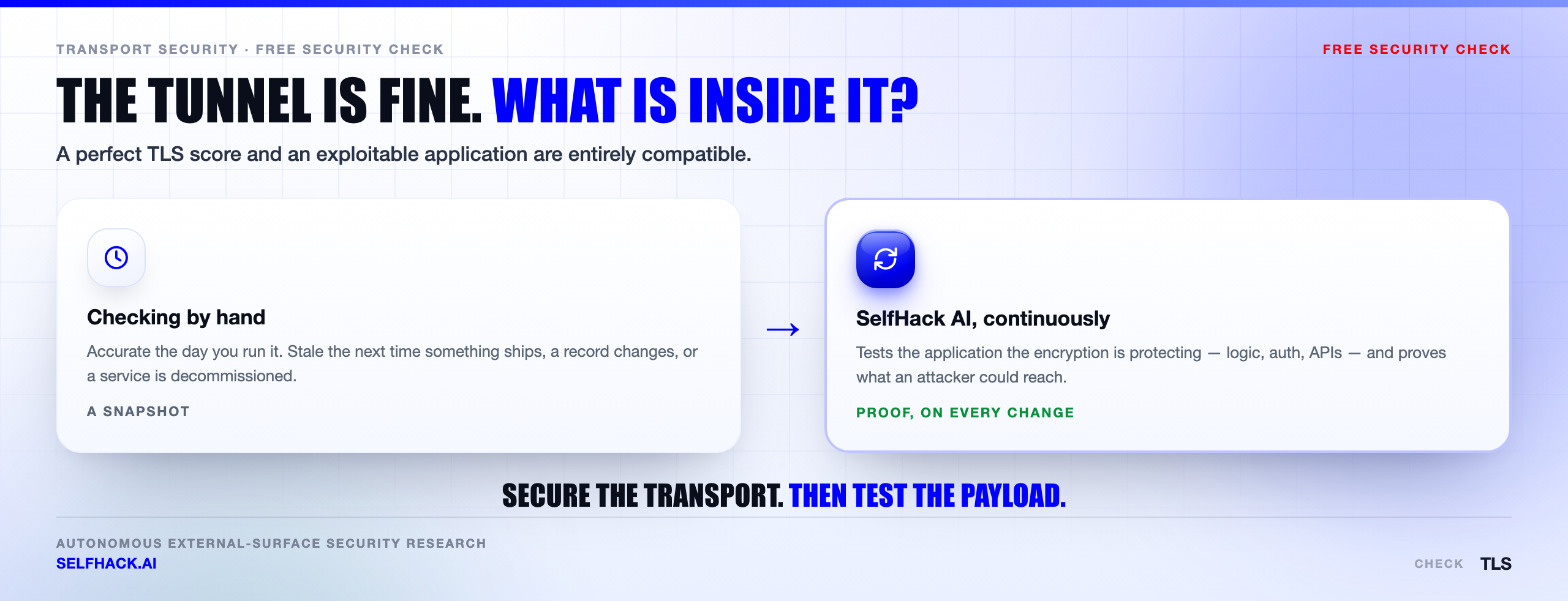
But the grade describes the pipe, and the risk lives in what the pipe carries. Perfect transport encryption delivers a request with a manipulated identifier to your API exactly as reliably as a legitimate one, then returns the other customer’s data with the same confidentiality guarantee.
SelfHack AI tests that side — the application behind the encryption, continuously rather than once a year, because the code behind the endpoint changes far more often than the certificate does. If you want to know what your TLS is currently protecting, talk to our team.
The checks that belong alongside an SSL TLS check
Transport security is one layer. Above it sits the browser policy, below it sits the question of which hosts are listening at all.
Pair this with a security headers check — HSTS is the header that makes your TLS work stick, and testing them separately misses the interaction. Underneath, check open ports to see every listener, not only the one you meant to publish.
And scope the whole thing properly: find subdomains first, then look for subdomain takeover on anything that no longer resolves where you expect. An SSL TLS check on three hosts when you have forty is not a result. See our free security checks guide.
FAQ
What does an SSL TLS check actually test?
An SSL TLS check tests the transport layer: which protocol versions the server accepts, which cipher suites it negotiates, whether the certificate is valid and unexpired, whether the chain to a trusted root is complete, whether the hostname appears in the certificate’s subject alternative names, and whether HSTS and OCSP stapling are configured. It does not test the application receiving the decrypted request.
Is TLS 1.2 still safe to use in 2026?
Yes, when configured properly. TLS 1.2 permits both strong and weak cipher suites, so the version number alone is not an answer. Restrict it to ECDHE key exchange with AEAD ciphers such as AES-GCM or ChaCha20-Poly1305, and enable TLS 1.3 alongside it so modern clients take the better path automatically.
Does a passing SSL TLS check mean my website is secure?
No, and this is the limitation to internalise. A pass means data cannot be read or modified on the network path, and that you are the host you claim to be. Broken access control, injection flaws, authentication bypasses and business-logic errors are entirely unaffected by transport encryption, and those categories produce most breaches.
How often should I run an SSL TLS check?
Configuration drifts less than application code, so a monthly scheduled SSL TLS check is reasonable for protocol and cipher settings. Certificate expiry is different and needs continuous external monitoring, with alerts at thirty, fourteen and seven days. Re-check immediately after any load balancer, CDN or reverse proxy change, since those components quietly reintroduce old settings.
Can I run an SSL TLS check against a server I do not own?
A hosted scanner performing a normal client handshake against a public site sits in a grey area, but active enumeration with tools like nmap against infrastructure you neither own nor have permission to test is unauthorised scanning in most jurisdictions. Restrict testing to your own hosts or to targets covered by written authorisation.
What is the difference between SSL and TLS?
SSL is the obsolete predecessor. The protocol has been called TLS since 1999, and every SSL version is now formally deprecated or prohibited. The word survives in phrases like “SSL certificate” purely out of habit. If a scan reports genuine SSL 2.0 or 3.0 support on your server, that is a real finding to fix, not a naming quirk.
The verdict: a clean SSL TLS check is the floor
Weak encryption exposes less than the marketing around it suggests, and more than the teams ignoring it assume.
What it genuinely exposes is the network path. Obsolete protocol versions and missing forward secrecy put recorded traffic at risk. Missing HSTS leaves room for a downgrade on the first request. Mixed content punches a hole through an otherwise sound configuration, and an expired certificate takes the service down with no attacker involved at all. Real problems, known fixes, a defined finish line.
What weak encryption does not expose is the thing most people are actually worried about. The application behind the endpoint is untouched by any of it, in either direction.
So run the SSL TLS check. Fix what it finds, in the order above. Automate the renewals, watch the Certificate Transparency logs, keep the grade clean.
Then start the harder work: testing what all that encryption has been faithfully protecting. That part never finishes, and it decides whether the padlock was ever meaningful. If you would rather find out on your own terms, let’s test what is behind your certificate.
Sources & further reading: NIST SP 800-52 Rev. 2 on TLS selection and configuration, the OWASP Web Security Testing Guide, RFC 8446 (TLS 1.3), RFC 8996 (deprecating TLS 1.0 and 1.1), RFC 6797 (HSTS), the Mozilla SSL Configuration Generator and Certificate Transparency. Configuration guidance only; test infrastructure you own or are authorised to test.