
External Pentest for IoT, OT & Telco: AI Testing of Every Exposed Port
- An external pentest tests everything an attacker can reach from the internet — without ever touching your internal network. It’s almost always more than your last scope document listed.
- Public scan engines already index millions of exposed devices per country. If a port answers from the outside, it’s testable from the outside — no site visit, no VPN, no agent on the box.
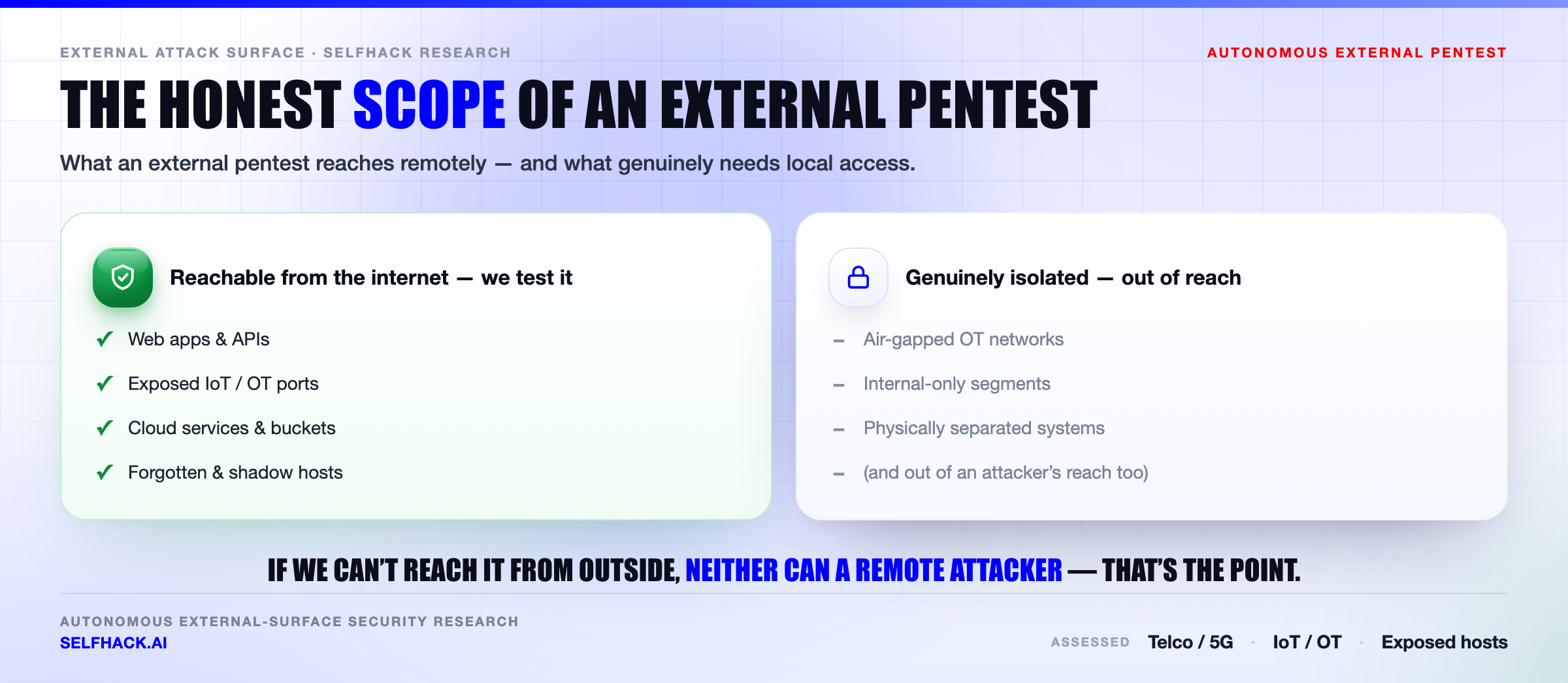
- We’ll be straight about the limits too: if something is genuinely air-gapped, an external pentest can’t reach it — but neither can a remote attacker, and most “internal” systems turn out to be quietly exposed anyway.
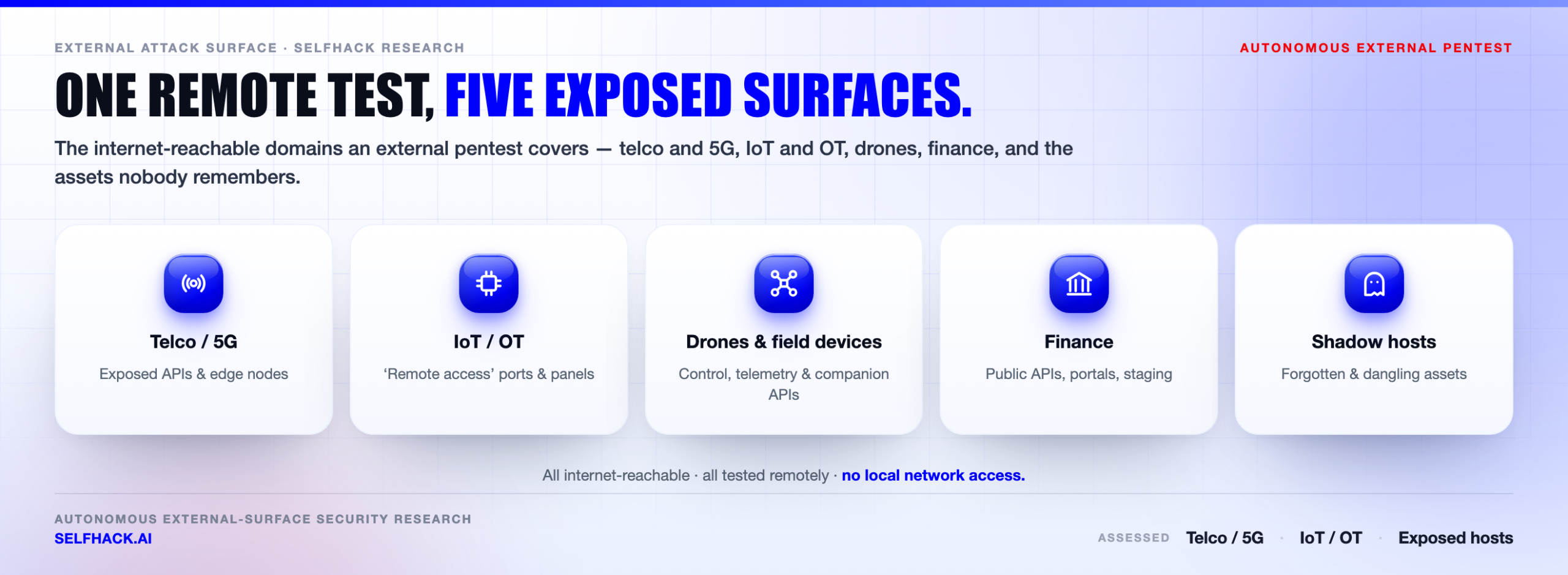
- Below: five exposed surfaces most pentests skip — telco, IoT/OT, drones and field devices, finance, and forgotten hosts — and how an autonomous AI pentest tests them remotely.
What you expose to the internet is bigger than you think
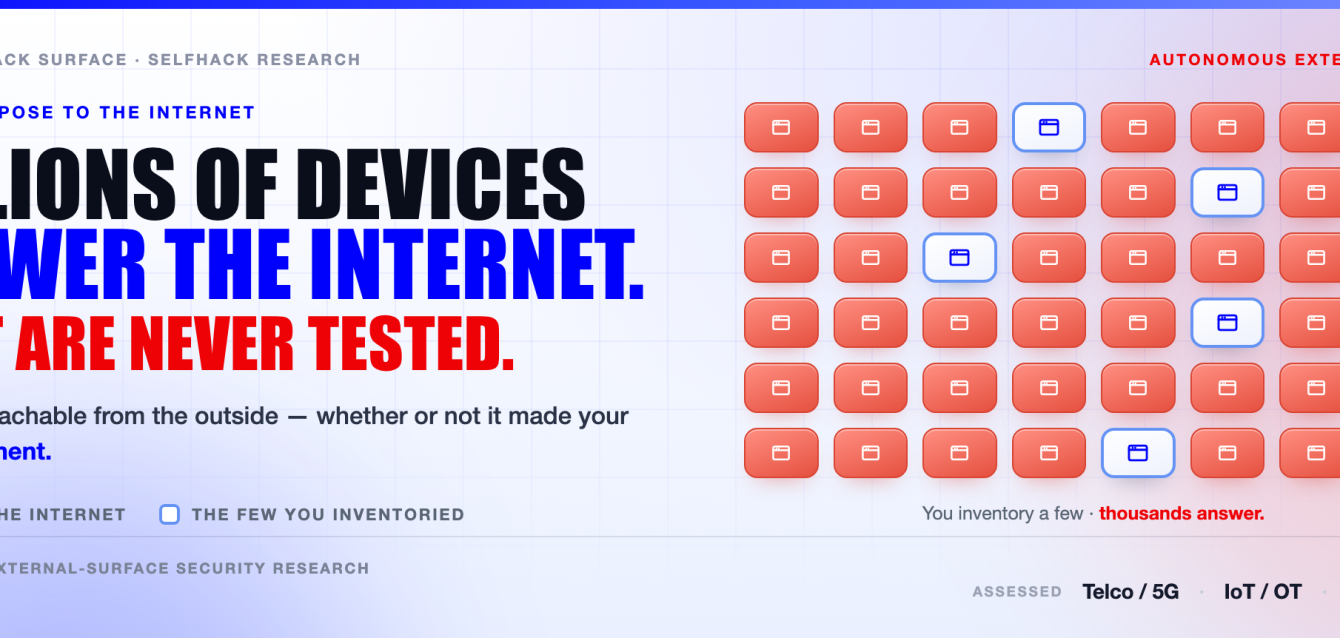
Type a country name into a public device-search engine and the number is sobering. One country alone exposes millions of internet-facing hosts — web servers, cameras, gateways, industrial controllers — sitting there, answering strangers.
Almost none of it has ever been tested. That is your internet-facing footprint: everything reachable from the internet, whether or not it made it onto a scope document.
Here’s the thing about scope documents. They list what you remember owning. Attackers don’t work from your list. They scan the whole internet, find the port you forgot, and walk in through it.
The shift is structural. Telecom went from a walled perimeter to a distributed, API-driven mesh. Cloud and edge pushed services outward. Every one of those moves added internet-reachable surface faster than any human team could test it.
So the honest starting question isn’t “did we pass our pentest?” It’s “what of ours answers the internet right now — and has anyone actually attacked it the way a real adversary would?”
That question has an answer, and it’s measurable. Your exposed surface is a finite, discoverable thing — a list of everything that answers the internet in your name. You just have to look at it before someone less friendly does.
What a typical internet-facing footprint actually contains
Ask a team to list their internet-facing assets and you get a tidy answer. Run discovery against their real internet-facing footprint and you get a longer, messier one.
A mid-size organization’s external footprint almost always hides more than the org chart admits:
- Forgotten web apps — old marketing sites, retired portals, a staging server nobody took down.
- Unlisted APIs — endpoints behind mobile apps and partner integrations that never made it onto a scope.
- Exposed management interfaces — routers, cameras, OT gateways and dashboards opened “temporarily” for remote access.
- Cloud sprawl — buckets, functions and load balancers spun up by teams who have since moved on.
- Dangling DNS — records pointing at hosts nobody owns anymore, ready to be taken over.
Every item on that list answers the internet right now. Every item is part of your internet-facing footprint whether you inventoried it or not. The gap between the tidy list and the messy reality is exactly where attackers operate.
The honest rule: if we can reach it, so can an attacker
Let’s be self-critical for a second, because this matters more than the sales pitch. An external pentest is not magic, and we won’t pretend it is.
If a system is genuinely air-gapped — no route from the internet, no exposed port, no reachable interface — an external exposed surface test cannot touch it. Full stop. That’s a real limit.
But sit with the flip side. If we can’t reach it from the outside, a remote attacker can’t either. And that’s the whole point of testing from the outside: it measures your actual internet-facing risk, not a theoretical one.
The uncomfortable truth is how often “internal” turns out to be a lie. The demo box someone exposed “just for a week.” The OT gateway a vendor opened for remote support. The staging API behind a guessable subdomain. On paper, internal. In reality, one scan away.
So our rule is simple, and we hold ourselves to it. We test what is reachable from the internet — no VPN, no agent, no credentials we weren’t given — exactly the way an attacker meets you. If it’s truly isolated, we say so instead of inventing a finding.
That honesty cuts both ways, and we prefer it. When we hand you a finding, it’s real and reachable — not a maybe pulled from a config file. And when we say something is out of reach from the outside, that’s genuine assurance, not a gap we’re papering over.
5 exposed surfaces most pentests skip
Each of these is internet-reachable, each is routinely left off a scope, and each can be tested remotely. We’ll flag honestly where the hard part actually is.
1. Telco and 5G exposed interfaces
Modern telecom stopped being a walled garden. It’s a distributed mesh of network slices, cloud-native functions and edge nodes, with thousands of internet-reachable management and API endpoints. Testing that the old way means an on-site engagement per site — which is why most of it never gets tested at all. An autonomous test reaches the exposed telecom surface remotely: management portals, misconfigured edge nodes, forgotten API endpoints. The honest caveat: deep signaling-layer attacks still need specialist context; what we test here is the internet-facing layer an outsider actually hits first.
The wins here are unglamorous and dangerous. A management console reachable without a VPN. An edge node still on a default config. An API that quietly leaks internal topology. None of it makes a headline; all of it makes a foothold.
2. IoT and OT “just for remote access” ports
An OT gateway, a building controller, a camera, a PLC — someone exposed its web interface “just for remote access,” then forgot. A traditional pentester needs to be on the local network to test it. We find it from the outside, the same way public scanners index millions of exposed devices, and prove whether that port is actually exploitable. Fair warning: if the device sits behind a properly closed firewall, external pentesting won’t reach it — and that’s a good result, not a gap.
We see the same story across sectors. A water utility’s control panel on the public internet. A hospital’s building management on a guessable subdomain. The device was never meant to face the world, but a remote-access shortcut put it there, and it stayed.
3. Drones and connected field devices
A drone, a sensor, a connected field unit — increasingly these ship with a management portal, a companion API, or a remote interface. If any of that is reachable from the internet, it’s live attack surface, and almost no one tests it. We test the externally-reachable interfaces remotely: can an outsider hit the management API, reach a control or telemetry endpoint, or pull data it shouldn’t expose? We won’t claim to “hijack any drone” — we test what its exposed interface actually allows, and report the real reach.
The honest framing matters here. Most of the real risk isn’t cinematic takeover — it’s a companion API with weak authentication, a telemetry feed with no access control, or an update endpoint that trusts too much. Prosaic bugs, real consequences.
4. The finance external surface
A bank or fintech’s real exposure is what an internet attacker sees without being inside the corporate network: public APIs, customer and partner portals, third-party integrations, forgotten staging hosts. We map and test that entire external surface remotely, exploit-validated — no VPN, no internal access, no scope caps. This is the surface regulators and attackers both care about most, and it changes every deploy.
And it moves constantly. A new partner integration ships Monday. A staging environment goes up for a release Wednesday. By the time a yearly assessment comes around, the external footprint it measured is already out of date.
5. Forgotten and shadow exposed hosts
The stale subdomain from a 2022 campaign. The abandoned marketing microsite. The cloud bucket a contractor left public. None of it is on your list, all of it answers the internet. Continuous external discovery finds these before an attacker does — and a dangling subdomain pointed at an unclaimed host is a takeover waiting to happen.
These are the cheapest wins an attacker gets and the easiest ones to prevent. A forgotten host has no owner, no monitoring and no patch schedule. It is pure internet-facing footprint with none of the defenses your real systems have.
How attackers actually use what you expose
None of this is abstract. Here’s the pattern we watch play out over and over.
An attacker doesn’t start with your crown jewels. They start with a scan of your entire exposed surface — every IP, every subdomain, every answering port. It’s cheap, fast and fully automated.
Then they hunt for the soft edge. A forgotten admin panel. An API with no rate limit. An OT gateway still on default credentials. One weak point on the internet-facing footprint is all it takes for a foothold.
From there it chains. The exposed box holds a token. The token reaches a cloud role. The role reads a database. What began as a single overlooked port on your external footprint ends as a breach notification.
The lesson is uncomfortable but simple. Attackers already test your internet-facing footprint, continuously, for free, whether you asked them to or not. The only real question is whether you saw it first.
That’s the shift in mindset. Your exposed surface isn’t a compliance checkbox you tick once a year. It’s a live thing an adversary is already probing — and treating it like a static snapshot is exactly how the gap opens.
Why “no local access” changes the game
The phrase “no local access needed” isn’t a convenience feature. It’s a different threat model — the right one.
Think about who your loudest adversary actually is. Not a disgruntled insider with a laptop on the LAN, though that risk is real. It’s the anonymous stranger scanning the whole internet, and your internet-facing footprint is the only door they can knock on.
A traditional engagement often assumes some foothold: an agent, a VPN, credentials, a box on the network. Useful, but it answers “what could an insider do?” Your loudest real-world risk is the opposite: what can a stranger on the internet do with zero access?
Testing your external footprint from the outside answers exactly that. No agent to deploy. No site to visit. No internal network to plug into. Just the same starting position as the attacker — a laptop and your public IP ranges.
It also scales in a way on-site testing never can. A thousand exposed devices across forty sites is one remote engagement, not forty plane tickets. And because nothing is installed, you can run it continuously, catching the port that opened last Tuesday instead of at next year’s audit.
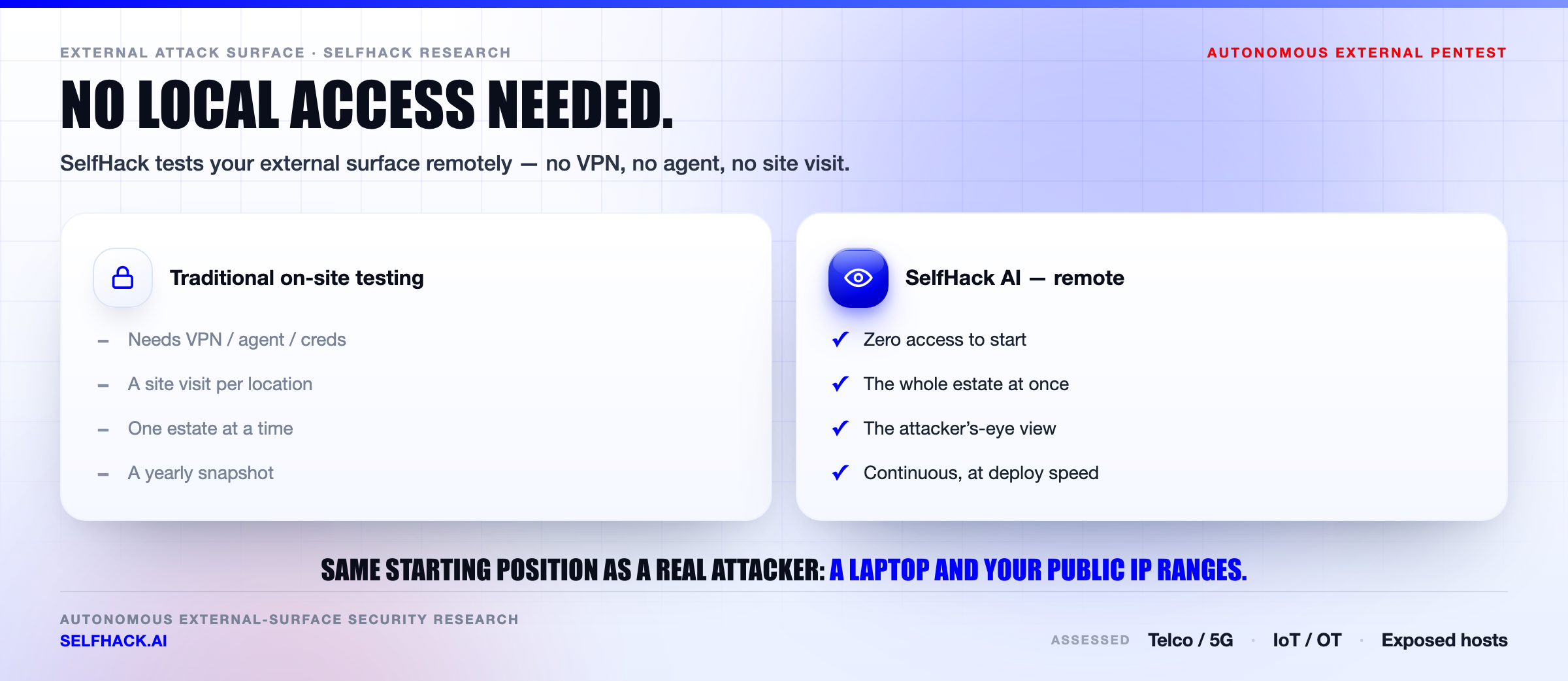
There’s a quieter benefit too. Because a remote external pentest starts from zero access, it can’t accidentally lean on an insider shortcut. It only ever sees what the internet sees — which keeps the result honest.
How SelfHack AI runs an external pentest
SelfHack AI was built for this threat model. It runs a swarm of agents that discover, verify and exploit — entirely from the outside.
And this isn’t a bolt-on you buy separately. Every SelfHack engagement covers your internet-facing footprint by default — whatever answers the internet is in scope, automatically, on every test. You don’t have to ask for it; if it’s exposed, we’re already testing it.
- Discovery first — it maps what actually answers the internet across your IP ranges, domains and cloud, including the assets you’d have forgotten to scope.
- Remote, exploit-validated testing — every finding ships with a working proof-of-concept, reached without any local access, so you see real exposure, not a theoretical list.
- Full-stack reach — web, API, cloud, and the exposed interfaces of IoT, OT and telecom devices, tested in one engagement.
- Continuous by default — because there’s no agent or site visit, it re-checks the external surface as it changes.
If you want the platform-by-platform view, our AI pentest benchmark compares the field. And for why scoped, point-in-time testing misses so much, see what manual pentests miss. This piece is the external-surface half of the same story.
Put together, it’s a test built for how attacks actually begin — at the edge, from the outside, on the surface you don’t fully see. It won’t pretend to reach what’s genuinely isolated. It will show you, with proof, everything that isn’t.
Before you scope an external pentest, it is worth seeing the surface for yourself. Most of what an external pentest starts from — the subdomain list, the ports that answer, the certificate state — you can enumerate in an afternoon without paying anyone.
Doing that first makes the scoping conversation much sharper, because you arrive with an inventory instead of a guess. We wrote the sequence up as six free security checks, with the actual commands: find subdomains, check open ports, and run an SSL/TLS check on whatever answers.
It will not tell you what is exploitable. That is the part an external pentest exists to answer. But it will tell you what you are asking us to look at.
How to scope an external pentest
Scoping an external pentest is refreshingly simple — that’s part of the point. Here’s the approach we walk teams through.
- Hand over your public footprint, not a feature list. Your IP ranges, your domains, your cloud accounts. The test discovers what actually answers from there — including the assets you’d have left off a scope document.
- Let discovery run wide first. Before testing anything, map the full exposed surface. Teams almost always find hosts they forgot they owned. That inventory alone is worth the exercise.
- Demand exploit-validated proof. For every exposed weakness, ask for a working proof-of-concept reached with no local access. That’s how you separate real internet-facing risk from a scanner’s guesses.
- Make it continuous. Your internet-facing footprint changes with every deploy. A one-time snapshot is stale within weeks, so re-test on a cadence that matches how fast you ship.
Do it this way and the first run tends to surprise people — not with the bugs, but with how much of their external footprint they never knew was there.
FAQ
What is an external pentest?
An external pentest is a test of everything reachable from the internet — web apps, APIs, cloud services, and exposed IoT, OT or telecom interfaces — performed remotely by an external pentest, without access to your internal network. It measures what a real outside attacker could reach and exploit, using no credentials or foothold you didn’t grant.
Can you really test IoT, OT and telco without being on-site?
For anything internet-reachable, yes — that’s the whole model. If a device’s interface answers from the outside, it can be tested from the outside. What we cannot reach is anything genuinely isolated behind a closed firewall, and we’ll tell you plainly when that’s the case rather than invent a finding.
How is this different from a vulnerability scan?
A scanner lists what might be wrong. An external pentest proves it. An external pentest proves it, by actually exploiting the exposed weakness and delivering a working proof-of-concept. That difference is what separates a report you act on from a list you argue about.
What about drones and field devices?
If a drone or field device exposes a management portal, companion API or remote interface to the internet, that interface is testable remotely. We test what the exposed interface actually permits — reachability, authentication, data exposure — and report the real impact, without overstating what’s possible.
How often should you run an external pentest?
Continuously, if you can. Your internet-facing footprint changes every deploy, and attackers exploit new exposure within days. A once-a-year snapshot leaves months of untested drift, which is exactly the window real intrusions use.
Is external pentesting enough on its own?
An external pentest covers your internet-facing risk, which is the largest and fastest-moving slice — but not everything. Internal segmentation, insider paths and physical access still deserve their own testing. Honest security stacks external, internal and human-layer testing rather than pretending one covers all three.
Do you need our credentials or a VPN?
No. An external pentest starts from zero access, exactly like a remote attacker. If a specific assessment needs authenticated testing of an exposed app, we agree that separately — but the baseline external test uses nothing you didn’t already expose to the internet.
Which industries benefit most from external pentesting?
Any organization with a large or fast-changing internet-facing footprint — telecom, finance, healthcare, and manufacturing with connected OT. The more exposed devices and APIs you run, the more of your external footprint goes untested by traditional, scoped engagements.
Where this leaves you
You can’t defend what you don’t know answers the internet. And right now, something of yours does that you haven’t tested. You may not know its name yet, but a scanner somewhere already does.
The good news: you don’t need a site visit, a VPN, or a scope document you’re not sure is complete. You need someone to look at your internet-facing footprint the way an attacker already is — from the outside, remotely, with proof.
Want to see what answers the internet in your name? Start a scan — order an external pentest from SelfHack AI or contact our team. Give us your public IP ranges and domains; we’ll run an external pentest and show you what an attacker sees.
Start small if you like. Point us at one domain and its IP range, and let an external pentest run. Most teams see enough in the first pass — the hosts they forgot, the ports they never sanctioned — to know this was the part of their internet-facing footprint that needed looking at all along. Better you find it than the person scanning for it right now.
Sources
- Shodan — search engine for internet-exposed devices — shodan.io
- CISA, Known Exploited Vulnerabilities Catalog (edge/exposed device exploitation) — cisa.gov
- OWASP Internet of Things (IoT) Project — owasp.org
Scope note: external pentesting covers internet-reachable assets only; genuinely isolated systems require internal engagement. SelfHack AI capability claims reflect the platform’s design; test outcomes depend on what each asset actually exposes.