Security Headers Check: What Each One Does and How to Test Yours
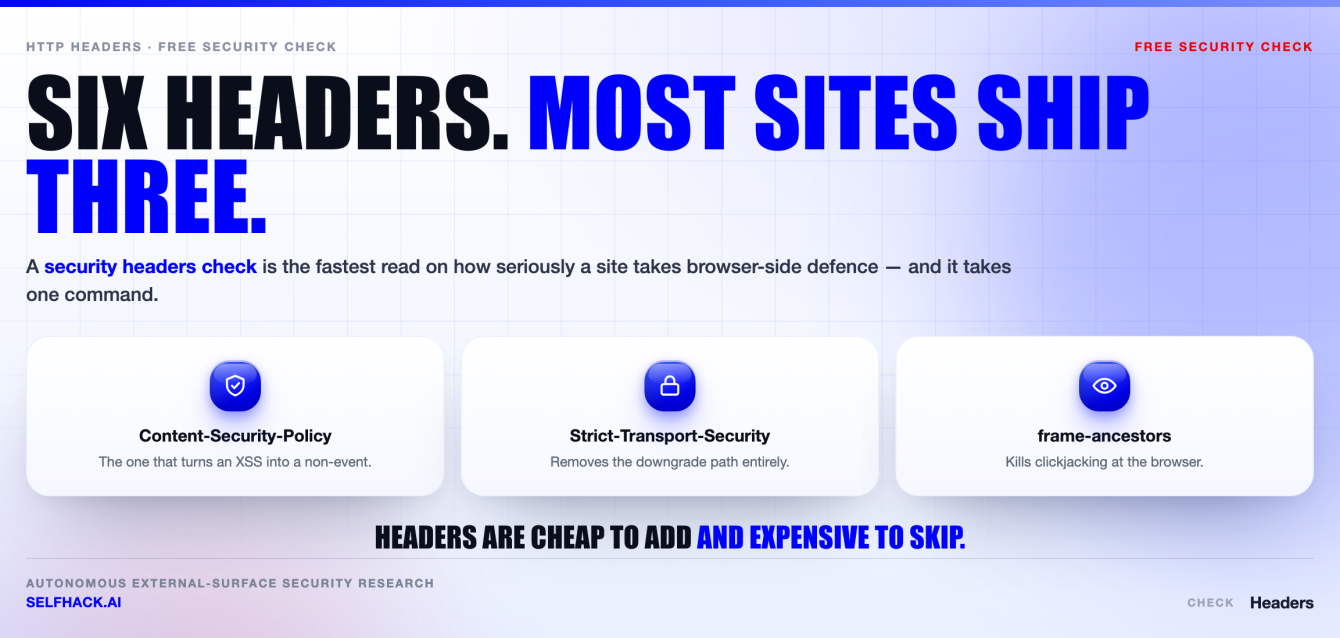
- A security headers check is one HTTP request and a careful read of what comes back. The request takes seconds. The reading is the part people get wrong.
- Only one header does heavy work against cross-site scripting:
Content-Security-Policy. The rest are narrower and still worth having — HSTS keeps you on HTTPS,frame-ancestorsstops clickjacking,nosniffstops MIME confusion,Referrer-Policystops URL leakage,Permissions-Policyswitches off browser APIs you never use. - The usual failure is not a missing header. It is a header that is present and inert: a CSP built on
'unsafe-inline', an HSTS policy with noincludeSubDomains, a strict policy onwwwand nothing at all onapi. X-XSS-Protectionis deprecated. The browser filter it controlled was removed years ago, and it caused its own bugs while it lived.- Roll out in risk order:
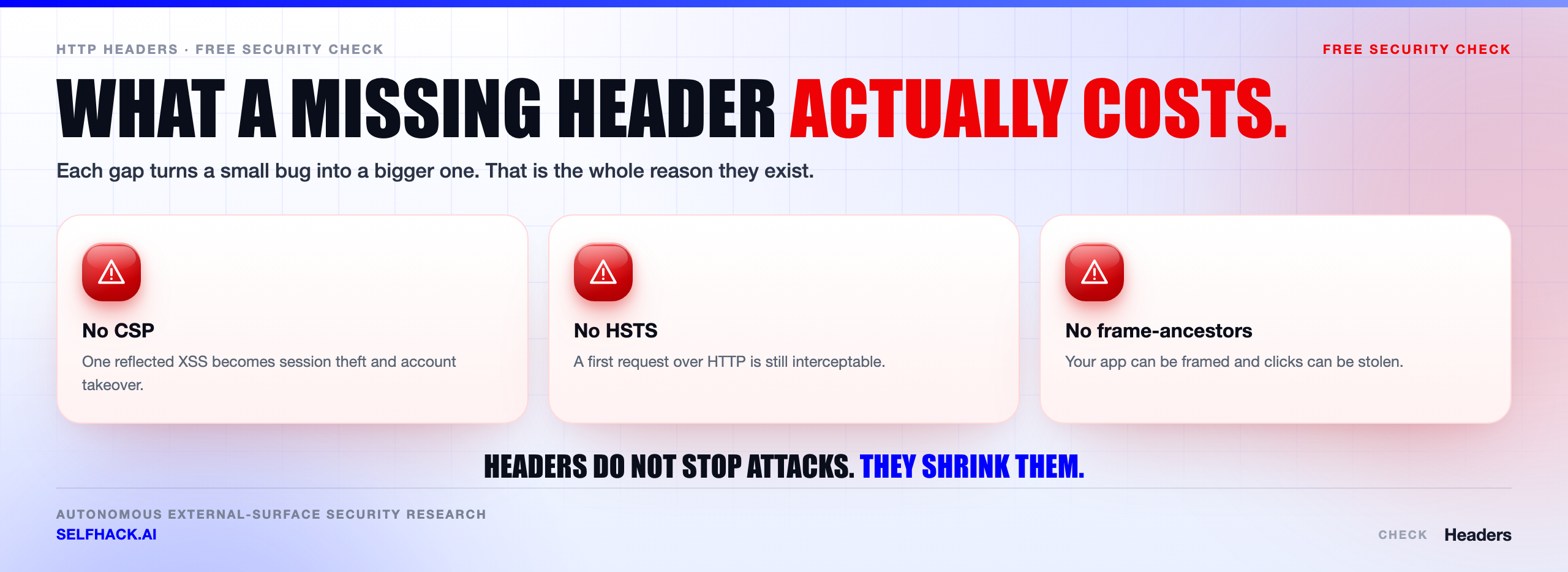
nosniffandReferrer-Policyfirst, framing controls next, HSTS in stages, CSP last — and in report-only mode until the reports go quiet. - Headers harden the browser. They do nothing about broken access control, an exposed admin panel, or an attacker who never opens a browser at all.
Everything below is standard, publicly documented browser and specification behaviour, with primary sources linked. No statistics we cannot show you, and no claims about anyone’s specific site.
What a security headers check actually proves
A security headers check is the practice of asking a web server which security-relevant HTTP response headers it sends, then judging whether those headers do anything useful. No credentials, no agent, no scan window. One request, one list of headers, one honest read.
Here’s the thing that makes it worth writing about: the request is trivial and the interpretation is not. A header can be present and completely inert. A policy can look strict in a screenshot and permit exactly the attack it appears to block.
So the value of a security headers check is not the list. It is knowing which lines on that list are load-bearing and which are decoration. Running a security headers check takes less time than reading this paragraph; understanding the answer takes the rest of the article.
It helps to be clear about what these headers are. They are instructions to a browser. Each one asks the browser to refuse something it would otherwise happily do — run an inline script, render your page inside someone else’s frame, guess at a file’s type, send a full URL to a third party, downgrade to plain HTTP.
That framing tells you the limits straight away. If the attacker is not driving a browser, no header on this page helps you. That is not a criticism of headers. It is just the boundary of what they cover, and it is the reason a security headers check is a starting point rather than a verdict.
The headers that matter, in one pass
Before the detail, here is everything a security headers check should be looking for, in one place, with the single job each header actually does.
Content-Security-Policy— restricts where scripts, styles, frames and network connections may come from. The main mitigation for cross-site scripting, and the only header here that is genuinely hard to deploy.Strict-Transport-Security— tells the browser to reach this host over HTTPS only, for a stated period. Kills protocol downgrade on every visit after the first.X-Frame-Optionsand CSPframe-ancestors— control who may embed your pages in a frame. Anti-clickjacking.X-Content-Type-Options: nosniff— stops the browser second-guessing your declaredContent-Type. Matters most anywhere users can upload or influence a file.Referrer-Policy— controls how much of the current URL is sent in theRefererheader when a user leaves your page.Permissions-Policy— switches off browser features (camera, microphone, geolocation, payment) for your document and anything you embed.X-XSS-Protection— deprecated. Covered below so you know why to stop asking for it.
Two more are worth naming even though they sit outside the classic list: the Cross-Origin-Opener-Policy and Cross-Origin-Resource-Policy pair, which limit how other origins can reference or interact with your windows and resources. The OWASP Secure Headers Project maintains recommended values for all of them and is the reference we point people to.
Content-Security-Policy: the one header worth the effort
CSP is the header that repays real work, and it is the one most commonly deployed in a shape that does nothing. If a security headers check hands you a single action item, this should be it.
What it does: it tells the browser which sources of script, style, images, fonts, frames and outbound connections a document is permitted to use. When an attacker manages to inject markup into your page, CSP is what decides whether that markup can execute.
Note the wording. CSP does not stop the injection. It limits the blast radius of an injection you failed to prevent. That distinction matters when someone asks whether a CSP means they can stop escaping output. It does not.
The modern recommended shape is nonce-based rather than an allowlist of hostnames:
Content-Security-Policy:
  script-src 'nonce-{RANDOM}' 'strict-dynamic' https: 'unsafe-inline';
  object-src 'none';
  base-uri 'self';
  frame-ancestors 'none'
Three things in there surprise people, so let’s take them one at a time.
The nonce. Your server generates a fresh unguessable value per response and stamps it on every script tag it intends to allow. An injected script tag has no nonce, so the browser refuses it. The nonce must be random per response — a static “nonce” in a template is not a nonce, it is a password the attacker can read in the page source.
'strict-dynamic'. This lets a script you trusted with a nonce load further scripts, which is how most real applications work. In browsers that support it, 'strict-dynamic' causes host allowlists to be ignored, which is the point — allowlists are the weak part.
'unsafe-inline' and https: at the end. These look like a mistake and are not. Browsers that understand nonces ignore 'unsafe-inline' when a nonce is present, and browsers that understand 'strict-dynamic' ignore the https: source. They sit there as fallbacks for older engines. In a policy with no nonce and no hash, though, 'unsafe-inline' means exactly what it says, and the anti-XSS value of the policy drops to roughly zero.
That last case is the single most common finding of any security headers check. A CSP is present. A scanner gives it a tick. It permits inline script unconditionally.
Two more details get missed constantly.
First, base-uri, form-action and frame-ancestors do not inherit from default-src. If you do not name them, they are unrestricted, no matter how tight the rest of your policy looks in a report.
Second, host allowlists are frequently bypassable. An allowlisted CDN serving JSONP callbacks, an old library with a callback parameter, or a domain where users can host their own files will each hand an attacker a way to run script from an “approved” source. The CSP Level 3 specification is the authority on directive behaviour when you need to settle an argument.
Strict-Transport-Security: making HTTPS stick
HSTS answers a narrow question with real consequences: once a browser has seen your site over HTTPS, will it ever speak plain HTTP to you again?
Strict-Transport-Security: max-age=31536000; includeSubDomains; preload
Without it, a user who types your bare domain, or follows an old http:// link on a hostile network, can be held on plain HTTP by an attacker in the path and never notice the redirect that should have happened. With it, the browser rewrites those requests to HTTPS itself, before anything leaves the machine.
Two properties of this header trip people up constantly.
It is ignored over plain HTTP. A browser only accepts an HSTS policy delivered over a valid HTTPS connection. Setting it on your port 80 redirect response accomplishes nothing, which is why a security headers check has to look at the final HTTPS response and not the redirect that got you there.
includeSubDomains is not optional detail. Leave it off and every subdomain is still reachable over HTTP. That matters more than it sounds, because cookies do not respect origin boundaries the way scripts do — an attacker who controls a plain-HTTP subdomain can set or overwrite cookies scoped to your parent domain and push them into your secured app.
The first visit from a given browser is still unprotected, and the fix for that is the HSTS preload list built into browsers. Submission via hstspreload.org requires a max-age of at least one year, includeSubDomains, the preload token, and a working HTTP-to-HTTPS redirect. Be certain before you submit: removal is slow and rides browser release trains. NIST’s TLS configuration guidance in SP 800-52 Rev. 2 covers HSTS alongside the rest of a server-side TLS posture.
Clickjacking: X-Frame-Options and frame-ancestors
Clickjacking is the attack where your page is loaded invisibly inside an attacker’s page and the victim is tricked into clicking your buttons while believing they are clicking something else. The defence is to tell the browser who may frame you.
There are two headers for this and one of them is legacy. X-Frame-Options takes DENY or SAMEORIGIN. Its third value, ALLOW-FROM, was never implemented widely and should be treated as non-functional — if you need to permit a specific partner origin, that is a job for CSP.
The modern control is the CSP directive:
Content-Security-Policy: frame-ancestors 'none'
Content-Security-Policy: frame-ancestors 'self' https://partner.example.com
Here is the trap. Where a browser supports frame-ancestors, the CSP directive wins and X-Frame-Options is ignored. So a permissive frame-ancestors quietly overrides a strict X-Frame-Options: DENY sitting one header above it. If you set both — and you should, for old clients — make sure they say the same thing. A security headers check has to read the two together, because either one alone will mislead you.
One more practical point: framing protection has to be on every HTML response, including the ones your application does not generate. A 404 or a 502 rendered by a load balancer often ships with no headers at all, and an attacker frames whichever page suits them.
nosniff, Referrer-Policy and Permissions-Policy
These three are the easy wins. Low risk to deploy, real value, and almost never a reason to break a working site.
X-Content-Type-Options: nosniff has exactly one valid value. It tells the browser to believe your declared Content-Type instead of inspecting the bytes and deciding for itself. With it set, a resource loaded as a script must arrive with a JavaScript MIME type and a stylesheet must arrive as text/css, or the browser refuses it. This is what keeps an uploaded file that a server labels text/plain from being executed as script because its contents look like code.
Referrer-Policy decides how much of the current URL travels with the user when they click away. Modern browsers default to strict-origin-when-cross-origin, which sends the full URL to your own origin and only the bare origin to third parties. Setting it explicitly is still better than inheriting a default, and unsafe-url is the value to hunt for and delete — it sends full URLs, query string included, to everyone.
Referrer-Policy: strict-origin-when-cross-origin
Permissions-Policy: camera=(), microphone=(), geolocation=(), payment=()
Be honest about what Referrer-Policy buys you, though. If a password-reset token in a URL would be dangerous in a referrer, the real fix is not putting it in the URL. Referrer policy is a second line, not the wall.
Permissions-Policy disables browser features you do not use, for your page and for anything it embeds. An empty allowlist — camera=() — means nobody, including you. The value is containment: injected or third-party code inside your page cannot reach for a device API you have already switched off.
Watch the syntax. Permissions-Policy replaced the older Feature-Policy header and uses a different grammar, so a policy copied from a stale blog post is silently ignored rather than rejected loudly. A security headers check that only asks “is the header present?” will pass a header the browser is discarding.
Why X-XSS-Protection is deprecated
This is the one line item where a modern security headers check and an older compliance checklist openly disagree, so it is worth a straight answer.
X-XSS-Protection controlled a built-in reflected-XSS filter that shipped in Internet Explorer and, later, Chrome’s XSS Auditor. Chrome removed the auditor in 2019, Edge dropped its equivalent when it moved to Chromium, and Firefox never implemented one. The header now controls nothing in any current browser.
It is not only obsolete, it was actively problematic. The filter worked by pattern-matching request data against the response and neutering what looked like a reflection, which meant an attacker could sometimes aim it deliberately — using it to disable a legitimate script on the page, or to infer page content from whether the filter fired. Blocking mode made that worse rather than better.
The practical guidance is simple. Do not rely on it. If a scanner or an auditor insists on seeing the header, X-XSS-Protection: 0 is the value that explicitly turns the legacy filter off, and CSP is what replaces it.
While you are trimming, look at what your server volunteers on the way out. Server, X-Powered-By and framework version headers give away your stack for free. Removing them is not a control, and nobody should pretend otherwise, but there is no reason to publish your patch level to every visitor.
How to run a security headers check with curl and devtools
You do not need a product for this. Two tools you already have will do a better security headers check than most online graders, because you control exactly which request is sent.
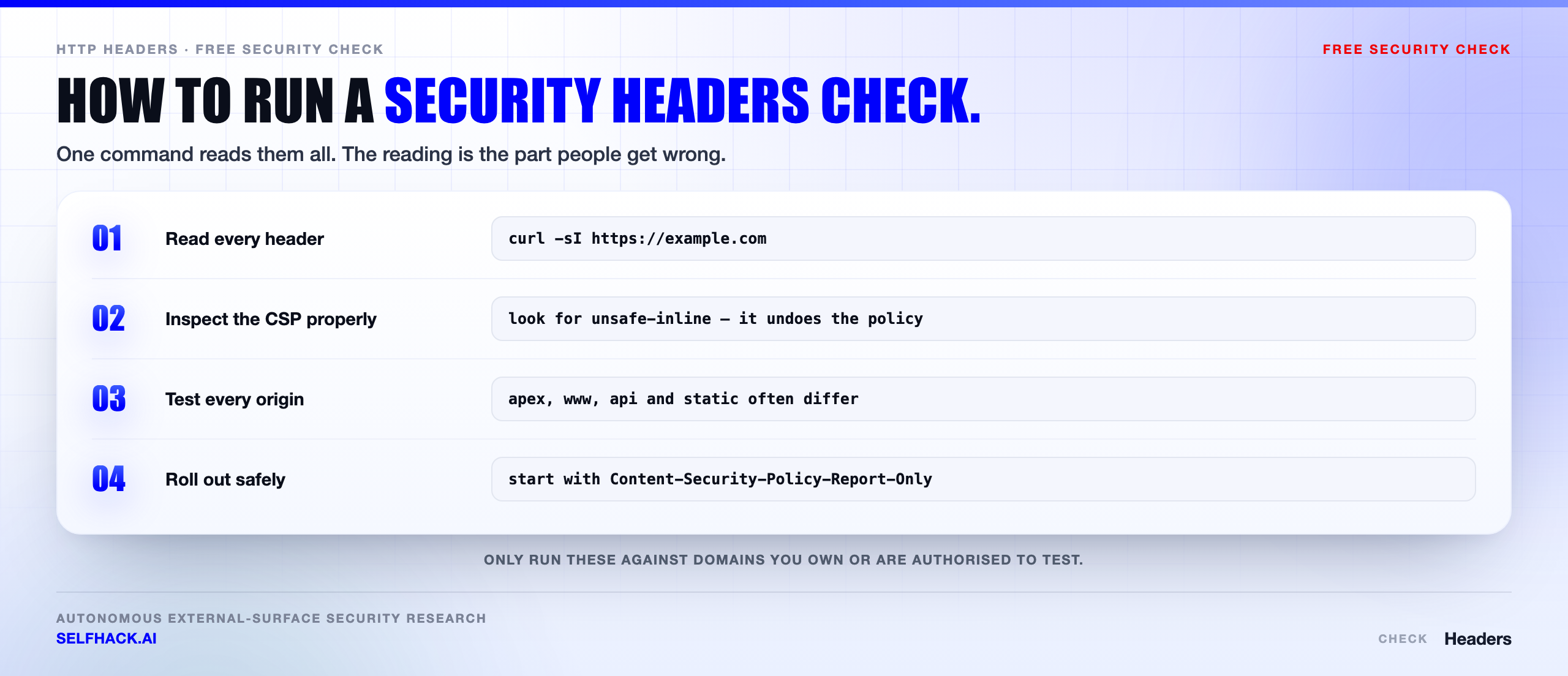
Run the security headers check against the exact URL your users land on, not a convenient variant of it. Start with curl:
# quick look at response headers
curl -I https://example.com

# follow redirects and show every hop's headers
curl -sSIL https://example.com

# safer: a real GET, headers dumped, body discarded
curl -s -D - -o /dev/null https://example.com
That third form matters more than it looks. curl -I sends a HEAD request, and plenty of servers, frameworks and CDNs answer HEAD differently from GET — sometimes with fewer headers, sometimes with a rejection. If HEAD and GET disagree, trust the GET, because that is what a browser sends.
Redirects are the other classic mistake. Running a security headers check against http://example.com shows you the headers on a 301 and nothing else. The policy you care about lives on the final 200. Follow the chain with -L, and read the last block.
Then confirm in a browser. Open devtools, go to the Network tab, reload, click the top-level document request, and read Response Headers. This is the ground truth: it is the response your users get, through your CDN, with your cookies, after your redirects.
The Console is the second half of that. CSP violations are reported there in plain language — blocked URL, violated directive, source line — which is how you tune a policy without guessing. The Issues panel in Chromium browsers groups the same violations and is easier to read when the list is long.
Which hosts to test, not just the homepage
Almost every incomplete security headers check has the same root cause. Someone tested the marketing homepage and called it done.
Headers are per-response, and in most architectures they are set in several places at once — the application, a reverse proxy, a CDN, an API gateway, sometimes a WAF. Each of those can add, strip or contradict the others. So test the surface, not the front door. Repeat the security headers check for each of these:
- The apex domain and
www. They are frequently served by different stacks. - The authenticated application, not the logged-out shell. Pass a session cookie with
-bor read the headers in devtools while logged in. - The login page specifically, since that is what gets framed and phished.
- API hosts.
nosniffand a restrictive CSP still matter on JSON endpoints. - Static and asset origins, including any CDN hostname that serves user-supplied content.
- Error pages. Request a URL that does not exist and check the 404 carries the same headers.
- Legacy and forgotten hosts — staging, old campaign sites, every name on your certificate’s subject alternative name list.
That last bullet is where the checking problem becomes an inventory problem. You cannot verify headers on a host you have forgotten you own, which is why header coverage and external attack surface discovery end up being the same project. Our free security checks are a reasonable place to start if you want a look at what is publicly answering on your domain.
Misconfigurations a security headers check keeps finding
Let’s be real about what a security headers check turns up in practice. It is rarely a site with no headers. It is a site with headers that were set once, by someone who has left, and never read since.
- CSP with
'unsafe-inline'and no nonce or hash. The policy exists, the scanner is satisfied, and injected inline script runs. Add'unsafe-eval'and it gets worse. - An allowlist CSP with a bypassable host. A CDN that hosts JSONP callbacks or arbitrary user files turns an approved source into an execution primitive.
- No
base-uriorform-action. They do not inherit fromdefault-src. An injected<base>tag can redirect every relative script URL on the page. - HSTS without
includeSubDomains. The apex is pinned to HTTPS and every subdomain is still reachable in the clear. - HSTS with a five-minute
max-agefrom a 2019 rollout that nobody ever raised. - Headers on one origin but not another. Strict on
www, absent onapi, absent on the S3 bucket, absent on the 502 page. X-Frame-Options: ALLOW-FROM. Not supported anywhere meaningful. It reads as protection and provides none.- A
frame-ancestorsthat contradictsX-Frame-Options. CSP wins in modern browsers, so the looser directive is the one in force. - Two CSP headers from two layers. Both are enforced independently and a resource must satisfy every policy, which is correct behaviour and confusing to debug when the app team only knows about one of them.
- A report-only CSP that has been report-only for two years with nobody reading the reports.
Permissions-Policywritten inFeature-Policysyntax and therefore ignored without warning.
Notice what almost all of these share. The header is present. A checklist marks it green. The behaviour in the browser is unchanged. That gap between “configured” and “effective” is the entire skill in reading a security headers check, and it is exactly the gap that automated grading tools tend to paper over with a letter score.
A sane rollout order: report-only first, preload last
If you are starting from nothing, order matters, because the headers vary enormously in how badly they can break a working site. Go from harmless to hazardous.
- Inventory first. List every hostname that serves your content and note where headers are set for each. You cannot roll out a policy across hosts you have not enumerated.
- Ship the safe three.
X-Content-Type-Options: nosniff,Referrer-Policy: strict-origin-when-cross-origin, andPermissions-Policydenying features you do not use. These rarely break anything. DropX-XSS-Protectionwhile you are in the config. - Framing next. Confirm no partner legitimately embeds you, then set
frame-ancestors 'none'plusX-Frame-Options: DENY. If something does embed you, name it explicitly rather than loosening to'self'and hoping. - HSTS in stages. Start at
max-age=300. Verify nothing on any subdomain still depends on plain HTTP. Raise to a day, then to a year, then addincludeSubDomainsonce you are genuinely sure. Considerpreloadonly after that, and only if you can live with it. - CSP last, in report-only mode. Deploy
Content-Security-Policy-Report-Onlywith a reporting endpoint and leave it alone while real traffic generates real violations. Fix the legitimate ones, tighten, repeat, and switch to the enforcing header only when the report volume is boring. - Then keep checking. Headers are configuration, and configuration drifts with every proxy change and platform migration. Assert them in your smoke tests so a regression fails a build instead of surviving a year.
Point five is the one people skip, and it is the reason so many CSP rollouts get reverted in a panic on a Friday. Report-only costs you nothing and tells you precisely what enforcement would have broken. Re-run a security headers check after each step so you can watch the change actually land in production rather than assume it did.
What a security headers check cannot see
Now the uncomfortable part, and the reason we would rather you read this section than the header table above.
Every header on this page is an instruction to a browser about how to render your content. That is a real and useful layer. It is also the layer an attacker sees first, understands fastest, and steps around most easily — because plenty of what they want does not involve rendering your content at all.
A perfect security headers check score says nothing about whether an object ID in your API returns another tenant’s invoice. It says nothing about a password reset flow that accepts a token belonging to a different account, a staging environment answering on the internet with production data, an S3 bucket listing publicly, a subdomain pointing at a deprovisioned service someone else can claim, or an API key sitting in a JavaScript bundle you shipped last quarter.
It also says nothing about the newer surface. If your product has an assistant or an agent wired into internal tools, the interesting failure is prompt injection reaching a privileged action, and no Content-Security-Policy has an opinion about that. A security headers check has no view into any of it.
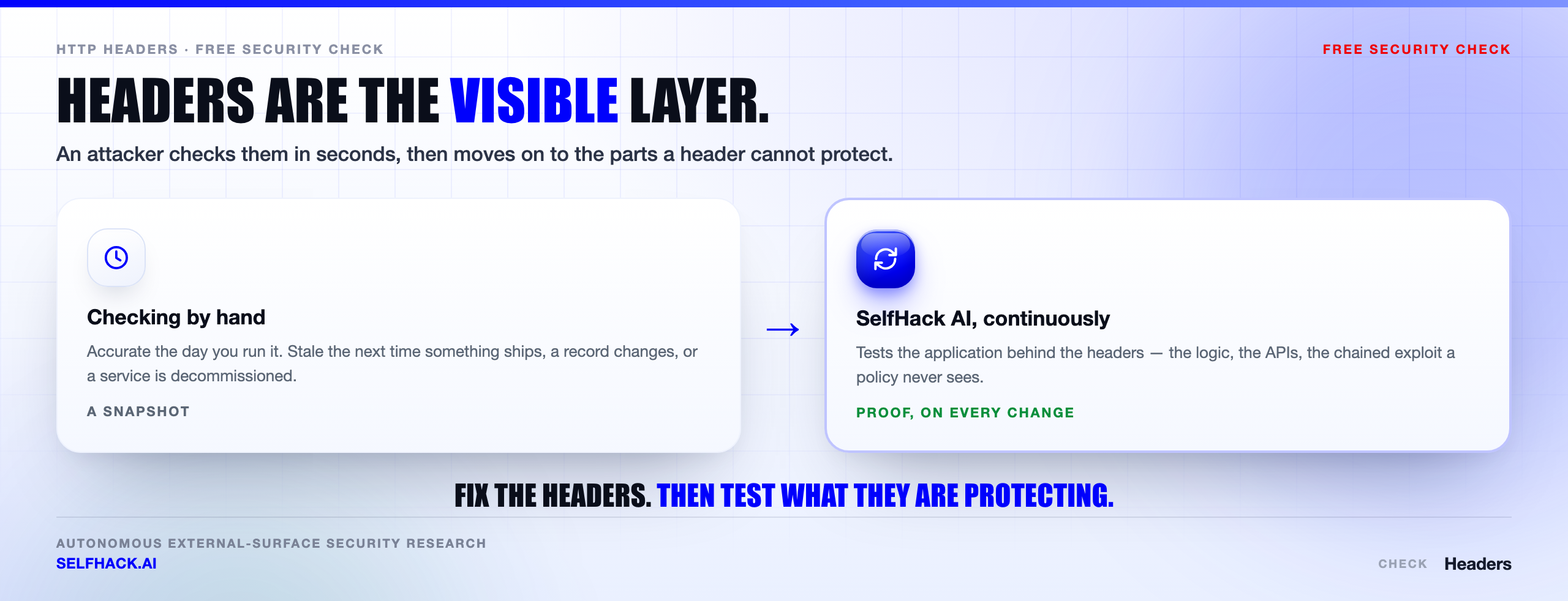
Honestly, that is the whole shape of the problem. Headers are the visible, gradeable, easily automated layer, so they get attention out of proportion to their reach, while the findings that end up in incident reports live one layer down.
This is where SelfHack AI fits. Rather than grading one page, it works your external surface continuously — enumerating the hosts you forgot, testing what those hosts actually do under adversarial input, and chaining what it confirms into a demonstrated path rather than a list of maybes. The output is not a letter grade. It is what an attacker could reach, with the proof attached. If you want that run against what you have deployed, talk to our team.
Where a security headers check fits with everything else
Headers protect the browser session. They do nothing about a host you forgot existed, and nothing about the transport underneath them.
So run the header work alongside the rest. HSTS in particular only means something if the TLS behind it is sound, which is why an SSL/TLS check belongs in the same sitting. And a security headers check is only as complete as your host list, so find subdomains first and test every web-facing one, not just the marketing site.
From there, look at subdomain takeover and open ports. The complete order is in our free security checks guide.
FAQ
What is a security headers check?
It is an inspection of the HTTP response headers a web server sends, measured against the set of headers that instruct browsers to enforce security behaviour — Content-Security-Policy, Strict-Transport-Security, framing controls, X-Content-Type-Options, Referrer-Policy and Permissions-Policy. A useful security headers check reads the values, not just the presence of each name.
Which security header matters most?
Content-Security-Policy, by a wide margin, because it is the only one that meaningfully limits what an injected script can do. It is also the hardest to deploy correctly, which is why so many sites carry a CSP that permits inline script and therefore blocks very little. If a security headers check flags only one thing on your site, expect it to be this, and if you only have budget for one header project this quarter, make it a nonce-based CSP.
How do I check my security headers without a tool?
Run curl -s -D - -o /dev/null https://yourdomain.com to send a real GET and print only the response headers, or curl -sSIL to walk a redirect chain. Then open browser devtools, reload the page, click the document request in the Network tab and read Response Headers. The browser view is authoritative because it includes your CDN and your redirects.
Is X-XSS-Protection still needed in 2026?
No. The browser filter it controlled was removed from Chrome in 2019, never existed in Firefox, and is absent from current Edge. The header controls nothing today, and the filter caused exploitable side effects while it was active. If a compliance scanner demands the header, send X-XSS-Protection: 0 and put the effort into CSP instead.
Will security headers break my site?
Some can, which is why order matters. nosniff, Referrer-Policy and Permissions-Policy are usually safe to ship immediately. CSP will break things if you enforce it before watching report-only traffic, and HSTS with a long max-age and includeSubDomains is genuinely hard to unwind, so raise those values in stages.
How often should I run a security headers check?
Treat it as a continuous control rather than an annual task. Headers live in proxy configs, CDN rules and framework middleware, all of which change without anyone thinking about security. The practical answer is an assertion in your deployment smoke tests plus periodic checking across every host you own, since new hosts appear faster than checklists get updated.
Do security headers replace a penetration test?
They do not. A security headers check and a penetration test answer different questions: headers instruct a browser, while a penetration test asks what an attacker can actually reach and do. Access control flaws, authentication bypasses, exposed infrastructure and injection into backend systems are all untouched by any header, and they are the findings that tend to matter most.
The verdict: a security headers check is the floor
The truth is that a security headers check is the cheapest useful security work available to you. One request per host, a known set of correct answers, no risk to production, and a result you can act on the same afternoon. There is no good argument for not doing it.
Just be precise about what passing means. It means browsers will refuse a specific list of behaviours on the responses you tested. It does not mean your application is sound, that your surface is known, or that the hosts you did not test look anything like the one you did.
So do the work in the right order. Ship the safe headers today, stage HSTS, run CSP in report-only until the noise dies down, and put an assertion in CI so the config cannot quietly rot. Put the security headers check on a schedule, and put the schedule in code. That is a good week of work and it holds.
Then go past it. The reason we build autonomous testing is that the layer under the headers is where the real findings are, it changes faster than anyone can manually re-check, and it does not announce itself in a response header. A point-in-time manual assessment cannot keep pace with a surface that moves weekly.
Fix the headers because they are easy. Then test everything they never covered — let’s look at what you’ve actually exposed.
Sources & further reading: recommended values and rationale from the OWASP Secure Headers Project; directive behaviour in the W3C Content Security Policy Level 3 specification; TLS and HSTS server guidance in NIST SP 800-52 Rev. 2; per-header reference documentation on MDN; preload requirements at hstspreload.org. General guidance only — nothing here describes any specific customer environment.