DMARC Check: How to Stop Attackers Spoofing Your Domain
- A DMARC check is three DNS lookups and one honest question: if a stranger sends mail with your domain in the From line, what does the receiving server do about it?
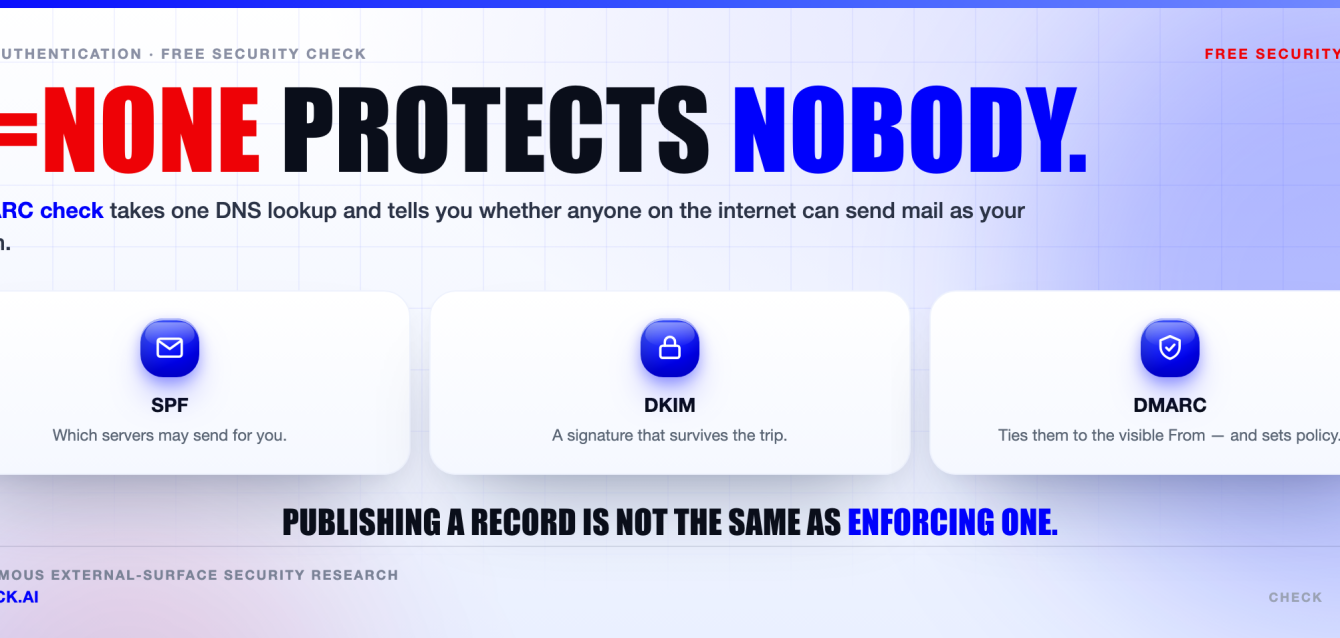
- SPF authorises the IP addresses allowed to send. DKIM cryptographically signs the message. DMARC ties both back to the From address a human actually sees, using alignment, and then tells receivers what to do when nothing lines up.
- If your DMARC check comes back
p=none, you are collecting reports, not blocking anything. The record exists. The spoofing still works. - The safe path is boring on purpose:
none→ read the aggregate reports → fix every legitimate sender →quarantine→reject, withsp=set too. - Two things that silently break enforcement: the SPF 10-DNS-lookup limit, and a missing subdomain policy that leaves
billing.yourcompany.comwide open.
This is a technical guide, not a case study. Every command below runs against your own domain, and every record format follows the published SPF, DKIM and DMARC specifications (see sources).
What a DMARC check actually proves
Here’s the thing about email authentication: almost everyone has heard the three acronyms, and almost nobody has run the lookups on their own domain this quarter.
A DMARC check is not a product. It is a short piece of diagnostic work you can do from any terminal in under a minute, and it answers exactly one question.
If someone who does not work for you sends an email with From: [email protected], what happens at the other end?
There are only three real answers. Nothing happens and the mail lands normally. The mail gets shunted to junk. Or the receiving server refuses it outright.
Which of those three answers your DMARC check returns is decided by one TXT record sitting at _dmarc.yourcompany.com, and by whether the SPF and DKIM plumbing underneath it lines up.
Most domains are still on the first answer. That is the uncomfortable part. A DMARC check on a randomly chosen company domain very often returns a record that looks official, reads as compliant, and blocks precisely nothing.
Some context on why so many records appeared recently. In February 2024, Google and Yahoo began requiring bulk senders — broadly, those pushing around 5,000 messages a day to their users — to publish SPF, DKIM and a DMARC record. Microsoft introduced its own requirements for high-volume senders to Outlook.com afterwards.
The bar those programmes set was publication, not enforcement. A record with p=none satisfied the requirement. So a lot of domains got a DMARC record and no additional protection at all.
One honest limit before we go further. DMARC stops exact-domain spoofing. It does nothing about a lookalike domain like yourcompany-billing.com, and nothing about display-name spoofing where the visible name reads “Your CFO” but the address underneath is a free webmail account.
SPF, DKIM and DMARC: what each one really does
These three get bundled together so often that people assume they are layers of the same thing. They are not. Two of them authenticate something users never see, and the third one is what connects them to reality. A DMARC check reads all three, so it pays to know what each one is actually asserting.
SPF (Sender Policy Framework) is a TXT record published at your domain apex. It lists which servers may send mail for you.
A receiving server takes the sending IP, reads your SPF record, and decides pass or fail. The important detail: SPF is evaluated against the envelope sender — the MAIL FROM address, also called the Return-Path — not the From header a person reads.
DKIM (DomainKeys Identified Mail) works differently. The sending system adds a DKIM-Signature header that cryptographically signs a chosen set of headers plus the message body.
The matching public key lives in DNS at selector._domainkey.yourdomain.com. The signature’s d= tag declares which domain did the signing. A verifier fetches the key, recomputes the hash, and gets a pass or fail.
Now the gap. SPF authenticates the Return-Path domain. DKIM authenticates the d= domain. Neither has any inherent connection to the address in the From header — the only one your staff and customers ever look at.
DMARC closes that gap with a concept called alignment. It compares the domain that passed SPF, or the domain that signed with DKIM, against the domain in the visible From header.
DMARC passes if either of these is true: SPF passed and its domain aligns with the From domain, or DKIM passed and its d= domain aligns with the From domain. One is enough. You do not need both.
Alignment has two modes. Relaxed (the default) accepts a match at the organisational domain level, so mail.example.com aligns with example.com. Strict demands an exact match. The organisational domain is worked out using the Public Suffix List.
In practice, DKIM alignment is the sturdier of the two. Forwarding breaks SPF almost every time, because the forwarding server’s IP is not in your record. A DKIM signature survives forwarding as long as nothing rewrites the signed headers or the body.
This is where the most common real-world failure lives. You sign up a marketing platform or an invoicing tool. It sends on your behalf, SPF passes for the vendor’s own bounce domain, and DKIM is signed with the vendor’s d=. Both pass. Neither aligns. Your DMARC check fails for mail you actually sent.
The fix is the same at every vendor: configure a custom Return-Path (usually a CNAME on a subdomain of yours) and a custom DKIM signing domain so d= is your domain, not theirs.
How to run a DMARC check yourself with dig
You do not need a scanner for the first pass. Three commands cover the whole picture, and running them yourself teaches you more than any dashboard will.
dig TXT example.com +short
dig TXT _dmarc.example.com +short
dig TXT selector._domainkey.example.com +short
The first command dumps every TXT record at the apex. Your SPF record is the one starting v=spf1. If you see two of them, stop reading and fix that first — more than one SPF record is a permanent error, and SPF cannot pass at all in that state.
The second command is the core of the DMARC check. A healthy answer starts with v=DMARC1. Empty output means no DMARC record exists, which means no policy, no reports, and no obstacle to anyone spoofing you.
The third command needs a selector, and this trips people up. There is no way to list DKIM selectors from DNS. You cannot enumerate them. You have to already know the name.
Getting it takes thirty seconds: open a real message you sent, view the raw source, find the DKIM-Signature header, and read the s= tag. That value is your selector. Common ones include google for Google Workspace, selector1 and selector2 for Microsoft 365, and vendor-specific names like k1.
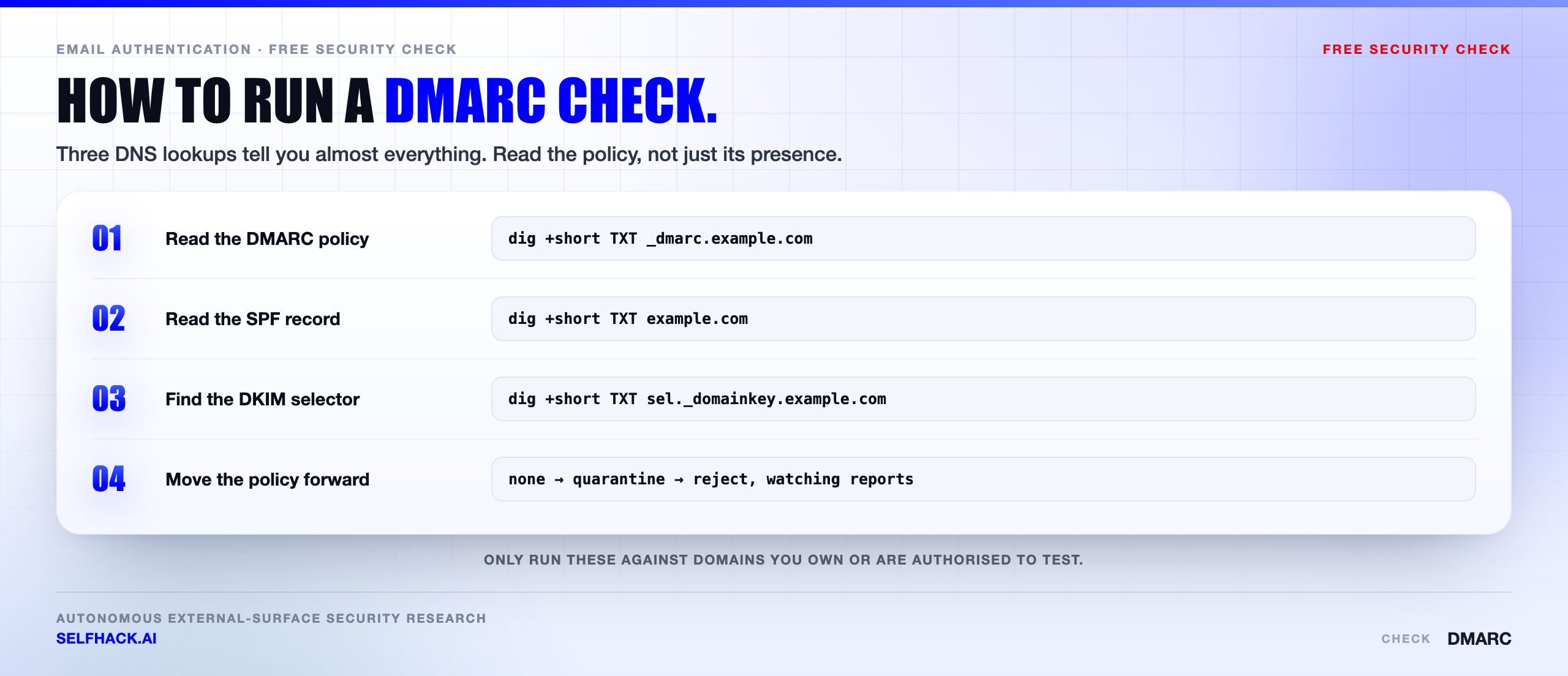
Once the three core lookups are done, four more are worth adding to any serious DMARC check because they tell you how the rest of your mail path behaves.
dig MX example.com +short— who receives your mail, and whether a forgotten legacy host is still listed.dig TXT _mta-sts.example.com +short— MTA-STS, which forces TLS on inbound connections instead of leaving it optional.dig TXT _smtp._tls.example.com +short— TLS reporting, so you find out when delivery attempts fall back to plaintext.dig TXT default._bimi.example.com +short— BIMI, which only functions once you are at quarantine or reject anyway.
Two practical notes. Run the lookups from outside your corporate network, because internal resolvers sometimes serve split-horizon answers that differ from what the public internet sees. And repeat the DMARC check for every domain you own, including the parked ones nobody sends from.
Reading a DMARC record tag by tag
Here is a record at full enforcement, with reporting switched on:
v=DMARC1; p=reject; sp=reject; adkim=s; aspf=s;
rua=mailto:[email protected]; fo=1; pct=100
Tag by tag, this is what a DMARC check is reading:
v=DMARC1— the version. Required, and it must come first or the record is ignored entirely.p=— the policy for the domain itself.none,quarantineorreject. Required, and it must come second.sp=— the policy for subdomains. If you omit it, subdomains inherit whateverp=says.rua=— where aggregate reports go, as a mailto URI. This is the tag that makes the whole rollout possible.ruf=— where failure reports go. Many large receivers never send these, and they carry message content, so treat them as a privacy decision rather than a default.adkim=andaspf=— alignment mode,rfor relaxed (the default) orsfor strict.pct=— the share of messages the policy applies to, from 1 to 100.fo=— which conditions trigger a failure report.
A word on pct=. It is a ramp, not a precision instrument. When pct is below 100 and the policy is reject, the messages not selected fall back to quarantine; under quarantine they fall back to none. Receiver behaviour varies, and the DMARC revision work has been moving away from it, so use it briefly and then remove it.
One trap catches nearly everyone the first time. If your rua= address is at a different domain than the one publishing the record, that other domain has to authorise it explicitly with its own DNS record:
example.com._report._dmarc.reportvendor.net. IN TXT "v=DMARC1"Without that record, well-behaved receivers simply stop sending you reports, and your rollout stalls with no visible error anywhere.
The reports themselves are gzipped XML, sent roughly daily by each participating receiver. They are unreadable raw and genuinely useful once parsed. Each one lists source IPs, message volumes, SPF and DKIM results, and — the part that matters — whether those results aligned.
Why p=none protects nobody
Let’s be blunt about this, because it is the single most common finding in any DMARC check and the one most often mistaken for a pass.
p=none means: change nothing, just tell me what you saw.
It is a listening post. It is not a control. A domain sitting at p=none can be spoofed exactly as easily as a domain with no DMARC record at all. The difference is that you now receive daily XML describing the spoofing you are not preventing.
That has real value — for a few weeks. none exists so you can inventory your senders without breaking anything. The moment it becomes permanent, it turns into security theatre with a DNS record attached.
The truth is that a lot of domains published p=none in early 2024 to satisfy a bulk-sender requirement and have not been touched since. Every DMARC check on those domains returns the same verdict: compliant on paper, unprotected in practice.
There is one category where a DMARC check can skip the whole ramp and go straight to enforcement: domains that never send mail. Old brands, redirect domains, defensive registrations, acquisitions. Lock those down today.
parked.example.  IN TXT  "v=spf1 -all"
_dmarc.parked.example.  IN TXT  "v=DMARC1; p=reject; sp=reject; rua=mailto:[email protected]"
*._domainkey.parked.example.  IN TXT  "v=DKIM1; p="
parked.example.  IN MX  0 .
That last line is a null MX, which declares the domain accepts no mail at all. Four records. No rollout risk, because there is no legitimate mail to break. Non-sending domains are attacker favourites precisely because nobody audits them.
The safe rollout: none, quarantine, reject
Enforcement is not hard. Getting from a failing DMARC check to a passing one is mostly patience and record-keeping. Rushing it is what causes damage — usually in the form of your own payroll notifications landing in a junk folder on the worst possible day.
The sequence below is deliberately unexciting.
- Publish
p=nonewith a workingrua=. Nothing changes for deliverability. Reports start flowing within a day or two. - Watch for at least two to four weeks. Longer if you have infrequent senders — quarterly invoicing, annual HR mailings, that one legacy application the finance team runs in December.
- Inventory every legitimate sender. The aggregate reports will show sources you had forgotten: a helpdesk tool, a CRM, a print vendor, a monitoring box in a cupboard.
- Fix alignment one sender at a time. Custom Return-Path, custom DKIM signing domain. Confirm each fix in the next batch of reports before moving on.
- Move to
p=quarantine. Ramp withpct=if the volume makes you nervous. Watch the reports for anything unexpected getting caught. - Move to
p=rejectand setsp=reject. This is the first step where spoofed mail actually stops. - Keep monitoring. Marketing will sign a new platform next quarter and nobody will tell you.
Two failure modes bracket this process. Skip to reject without the inventory and you break your own mail. Sit at none forever and anyone on the internet can keep being you. The second failure is far more common and far more expensive.
Treat step seven as permanent. A DMARC check is not an annual audit item; it is a state that drifts every time someone connects a new tool to your domain.
The SPF 10-lookup limit that breaks your DMARC check
This one is genuinely sneaky, and it is the reason plenty of teams see SPF failures they cannot explain.
The SPF specification caps the number of DNS-querying terms a receiver will evaluate at ten. That budget covers include, a, mx, ptr, exists and redirect. Nested lookups count too — every include inside an include spends from the same budget.
Blow past ten and the result is a permanent error, not a warning. SPF does not pass. If your DMARC check was relying on SPF alignment for a particular sending path, that path now fails DMARC.
The nasty part is how quietly it happens. Your record is fine at nine lookups. Someone adds one more SaaS vendor whose own include expands to four lookups. Nothing logs an error. Mail just starts failing.
There are two smaller limits in the same family worth knowing. A record may only produce two “void” lookups — queries returning no answer — before it errors. And each DNS TXT string is capped at 255 characters, so long records get split into multiple strings that the resolver concatenates.
Practical ways out, in the order I would try them:
- Delete dead vendors. Most oversized SPF records are archaeology. Half the includes belong to tools nobody has used in three years.
- Use
ip4:andip6:for stable infrastructure. Literal IPs cost zero lookups. - Split senders across subdomains. Bulk mail from
news.example.comgets its own SPF budget, separate from the apex. - Be careful with flattening. Expanding includes into literal IPs fixes the count and breaks silently the day a vendor changes address ranges. If you flatten, automate the refresh.
- Lean on DKIM alignment. DMARC only needs one aligned pass. A well-configured DKIM setup keeps you passing even when SPF is having a bad day.
Subdomain policy: the hole a DMARC check has to close
Say you have done the work. Your apex is at p=reject. Every sender is aligned. The DMARC check on example.com comes back clean.
Now an attacker sends from accounts-billing.example.com. A subdomain you have never used and never registered a record for.
What happens depends entirely on sp=. A receiver first looks for _dmarc at the exact subdomain. If nothing is there, it falls back to the organisational domain’s record and applies sp= — or, if sp= is absent, the value of p=.
So omitting sp= is safe by default, because subdomains inherit. The dangerous configuration is the one that looks thoughtful: p=reject; sp=none. Someone set that during a rollout, meant to tighten it later, and never did.
Attackers look for exactly this. A subdomain is more convincing than a lookalike domain, not less, because the registered domain in the address is genuinely yours. invoices.example.com reads as more official than example.com to most recipients.
Any DMARC check worth the name reports on the subdomain policy separately from the main policy, because the two answer different questions and fail independently.
If you run per-department or per-vendor subdomains with their own DMARC records, check each of them. Inheritance only saves you where no record exists — a subdomain with its own p=none overrides the strict parent completely.
What an attacker does with a domain that fails a DMARC check
None of this is hypothetical or difficult. Sending mail with an arbitrary From address is a solved problem and has been for decades. The only thing standing in the way is the receiver’s policy — which is to say, your DMARC record.
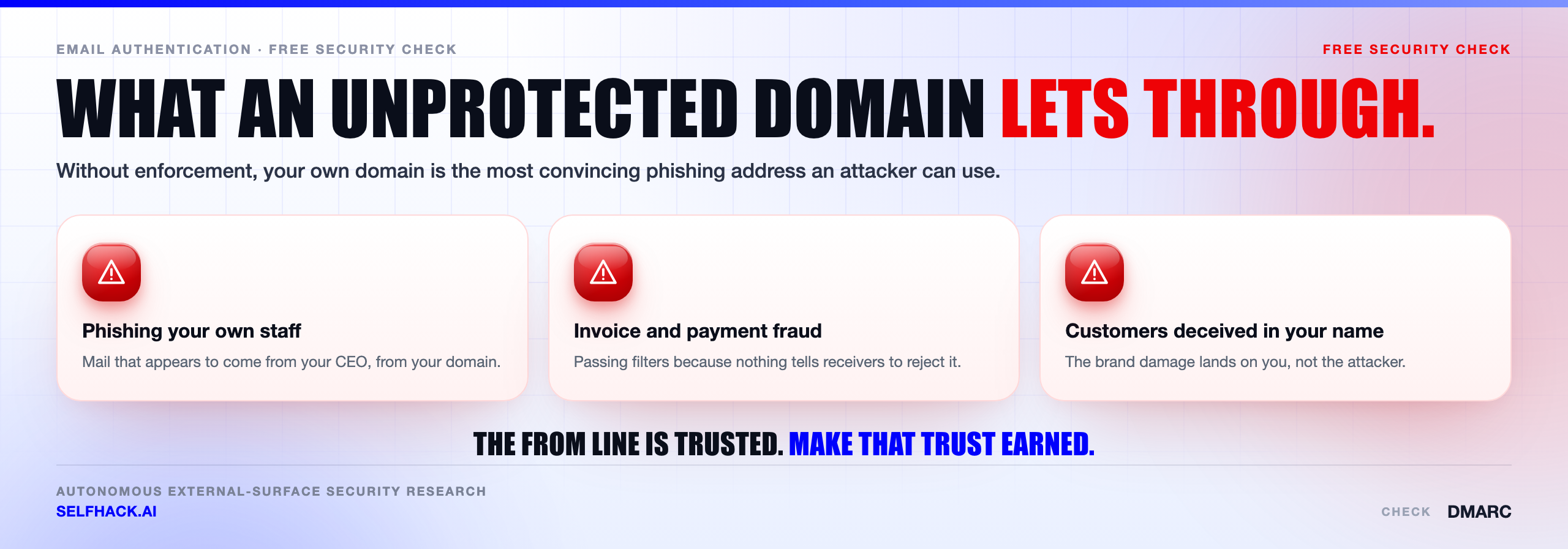
Against your own staff, the play is bank-detail fraud. A message from your CFO’s real address, mid-afternoon, about a supplier account change. There is no misspelled domain to notice, because the domain is correct.
Against your customers, it is worse, because they have no way to verify anything. An invoice with altered payment details. A password reset that leads somewhere else. A “your account is on hold” notice with a link. All from an address they have every reason to trust.
Against your suppliers and partners, it is the same trick pointed at your accounts payable relationships.
Here is why exact-domain spoofing beats every lookalike. Security awareness training tells people to inspect the sender address. That advice works fine against examp1e.com. It fails completely when the address is genuinely [email protected], because the user does the right thing and gets the wrong answer.
There is a second cost that shows up later. Spoofed mail sent in your name generates spam complaints against your domain. Your reputation with the large mailbox providers degrades. Then your genuine mail starts getting filtered, and the support ticket says “our emails are going to spam” with no obvious cause.
Enforcement removes this class of attack in a way almost nothing else in security does — cleanly, at the protocol level, for every recipient, with no user judgement required. That is a rare shape of control and it costs one DNS record.
Be honest about what stays behind, though. After a DMARC check passes at reject, an attacker can still register a lookalike domain, still spoof the display name from a webmail account, and still compromise a real mailbox at a supplier and send genuinely authenticated fraud. Enforcement removes one attack path. It does not remove phishing.
Why a DMARC check is one line item out of hundreds
Frankly, if email authentication were the only thing an attacker looked at, this article would be the end of the job.
It is not. Before anyone crafts a phishing message, they enumerate what you have exposed. The DNS records are the easy part.
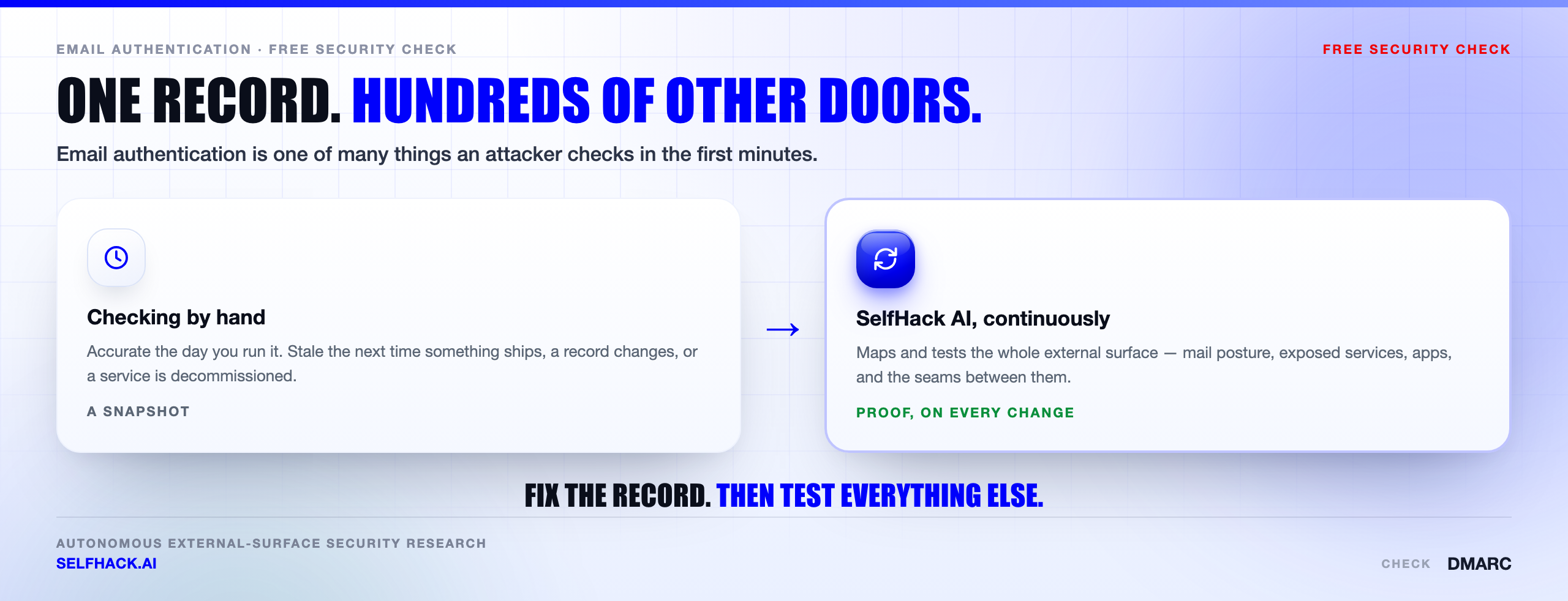
The same reconnaissance pass that reads your _dmarc record also collects forgotten subdomains, staging environments left reachable, expired cloud DNS entries that can be claimed, admin panels on non-standard ports, object storage buckets, API keys sitting in front-end JavaScript, and remote access endpoints running old firmware.
You can start on that yourself. Our free security checks cover the externally visible basics, and the same reasoning that drives a DMARC check applies to the rest of them: look at what the internet can see, not at what the documentation claims.
The wider problem is that this surface changes constantly. A subdomain gets created for a campaign. A vendor is onboarded. A DNS entry outlives the service it pointed at. That is why we treat it as continuous work rather than an annual exercise — the argument we lay out in detail under external attack surface testing.
Third-party senders make the connection sharper still. Every platform authorised to send as you is a trust relationship you did not build and cannot fully inspect, which is the same question we work through in supply chain penetration testing. Your SPF record is, quite literally, a published list of who can speak in your name.
SelfHack AI maps that whole surface and re-tests it continuously, so a DMARC check is not a thing you remember to run — it is one of hundreds of checks that re-run themselves every time something changes. If you want to see what that surfaces on your domains, talk to our team.
The checks that pair with a DMARC check
Email authentication is its own domain of failure, but it sits on the same DNS you use for everything else — and DNS is where several other problems hide.
While you have your records open, enumerate the rest: find subdomains to see what is actually published, then look for subdomain takeover, where an abandoned CNAME lets someone else serve content from your name. That matters here too, because a hijacked subdomain is a very convincing place to host a phishing page aimed at people who already trust you.
After the DMARC check, move to the web-facing side: an SSL/TLS check and a security headers check. All six are in our free security checks guide.
FAQ
How do I run a DMARC check on my own domain?
Run dig TXT _dmarc.yourdomain.com +short from any terminal. A record starting v=DMARC1 means DMARC is published; empty output means it is not. Then check SPF with dig TXT yourdomain.com +short and DKIM with dig TXT selector._domainkey.yourdomain.com +short, using the s= value from a real message’s DKIM-Signature header as the selector.
Does DMARC need both SPF and DKIM to pass?
No. DMARC passes if either one passes and aligns with the domain in the visible From header. One aligned pass is enough. In practice DKIM alignment is the more reliable of the two, because forwarding usually breaks SPF while a DKIM signature survives as long as the message is not modified in transit.
Is p=none good enough?
Only as a temporary stage. p=none tells receivers to change nothing and just send you reports, so a domain sitting there can be spoofed exactly as easily as one with no record. A DMARC check that stops at none has found a reporting pipeline, not a defence. Use it to inventory your senders, then move to quarantine.
Will moving to p=reject break my email?
It breaks any legitimate mail that is not aligned — which is exactly what the reporting stage is for. Spend a few weeks at p=none, read the aggregate reports, fix each sender’s Return-Path and DKIM signing domain, then step through quarantine before reject. Done in that order, nothing legitimate is affected.
Does DMARC stop lookalike domains and display-name spoofing?
No, and this is the honest limit of the control. DMARC governs mail claiming to be from domains you own. A registered lookalike is a different domain with its own DMARC record, and display-name spoofing uses a real address at a provider that authenticates fine. Enforcement closes exact-domain spoofing and needs pairing with brand monitoring and easy user reporting.
How long should a domain stay at p=none?
Two to four weeks is a reasonable floor for a straightforward setup. Extend it if you have senders that only fire quarterly or annually, since a system that has not sent anything yet will not appear in your reports. The stopping condition is not the calendar — it is when every source in the reports is one you recognise and have aligned. Re-run the DMARC check after each fix so you can see the change land.
The verdict: publish is not the same as protected
The gap between a domain with a DMARC record and a domain that is actually protected is one character of policy value. That is the whole lesson.
Run the three lookups. If _dmarc is missing, publish p=none with a reporting address today. If it says none and has said none since 2024, you have a monitoring tool where you assumed you had a control.
Then do the unglamorous part: read the reports, align every sender, step to quarantine, step to reject, set sp=reject, and lock down every domain you own that sends nothing at all.
None of it is difficult. It is just work nobody is assigned. And it stays undone until somebody actually runs the DMARC check and looks at what comes back.
The broader point stands beyond email. Attackers do not test the things you documented; they test the things you left running. If you would rather find those on your own terms, get in touch with our team and we will show you what your external surface looks like from the outside.
Sources & further reading: specifications — RFC 7489 (DMARC), RFC 7208 (SPF, including the ten-lookup limit in §4.6.4), RFC 6376 (DKIM) and RFC 7505 (null MX). Guidance: NIST SP 800-177 Rev. 1, Trustworthy Email and the OWASP Web Security Testing Guide. Sender requirements as announced by Google and Yahoo in February 2024. This is a technical guide; the commands are for use against domains you own or are authorised to test.